Floor plans serve as visual representations of each store, allowing you to pinpoint and place linked assets (fixtures) directly on the floor plan.
Steps to Populate a Floor Plan
Upload Floor Plan
Supported formats: JPG, PNG, PDF
Maximum file size: 15 MB
Maximum files per upload: 20
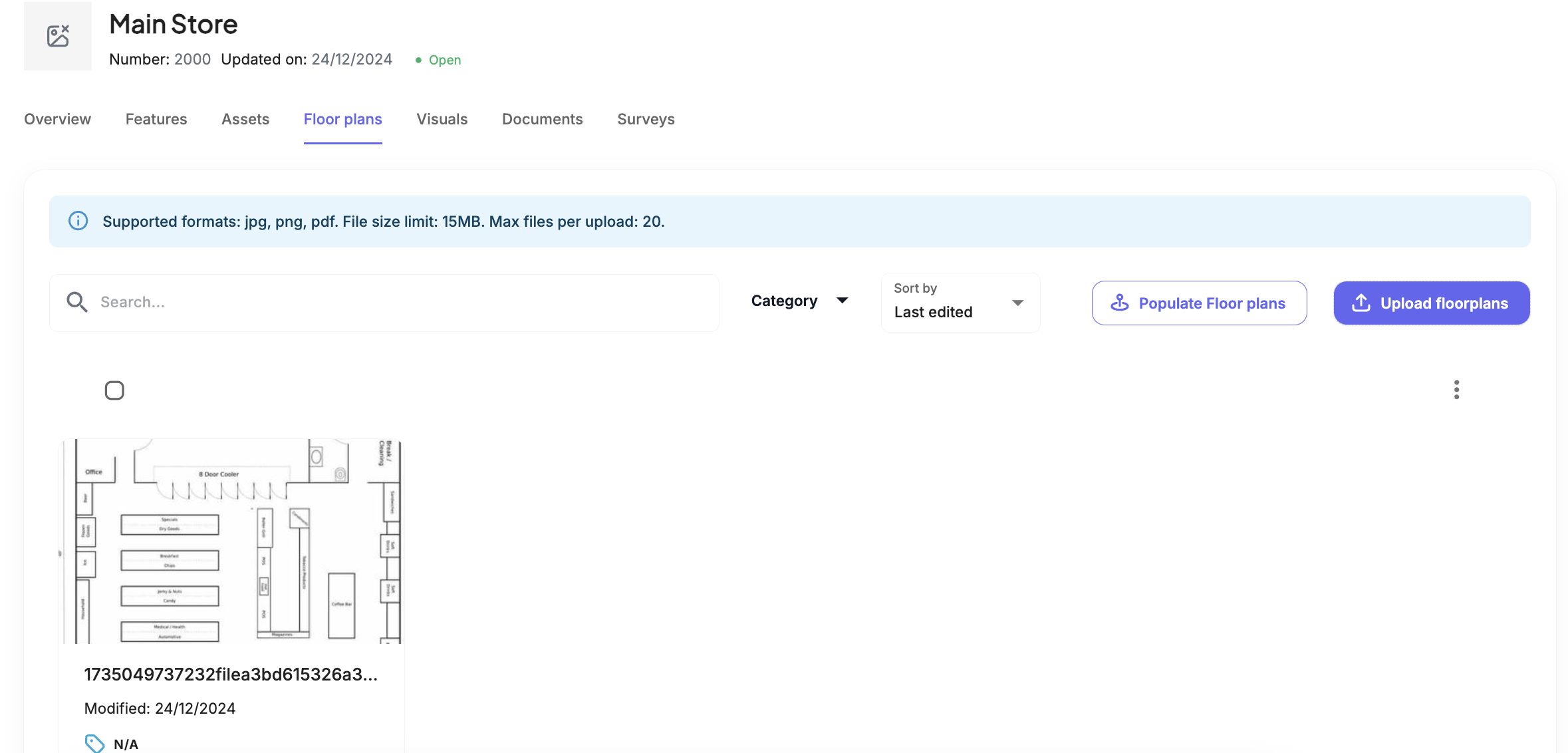
Select "Populate Floor Plans"
Add Assets to the Floor Plan
A list of assets will appear.
Select an asset and place it on the floor plan by pinning it to the desired location.
Repeat this process for each asset.
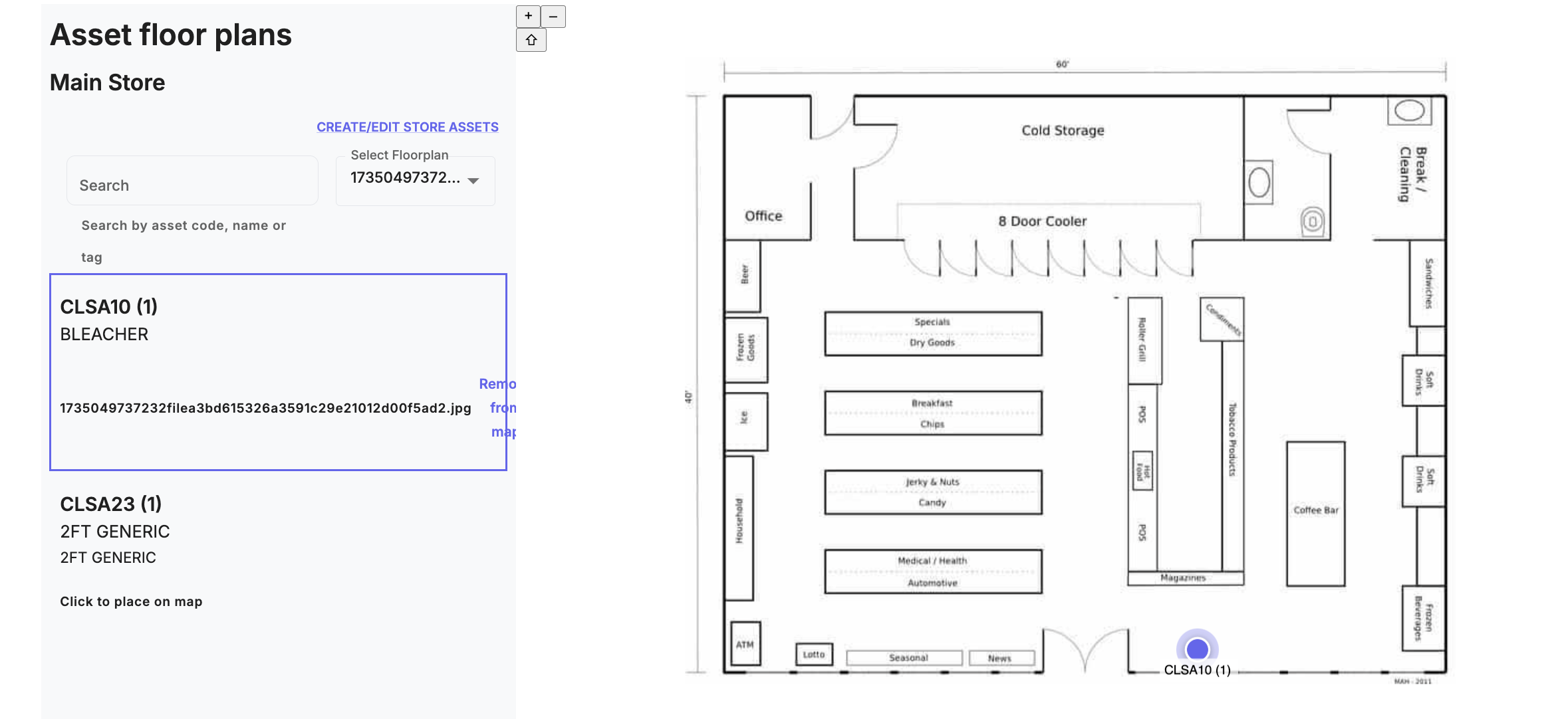
Assets will be marked on the floor plan with a blue pin, displaying their asset codes for easy identification.
Was this article helpful?
That’s Great!
Thank you for your feedback
Sorry! We couldn't be helpful
Thank you for your feedback
Feedback sent
We appreciate your effort and will try to fix the article