We’ve rolled out a set of enhancements focused on helping you find, track, and manage data more effectively. With smarter filtering, improved location management, and increased visibility into user activity in Colateral 3.0, it’s now easier to stay in control of your data.
1. Enhanced Advanced Search & new UI
Environment: 3.0
The Advanced Search and Global searcg functionality has been significantly enhanced to improve data discovery and filtering.
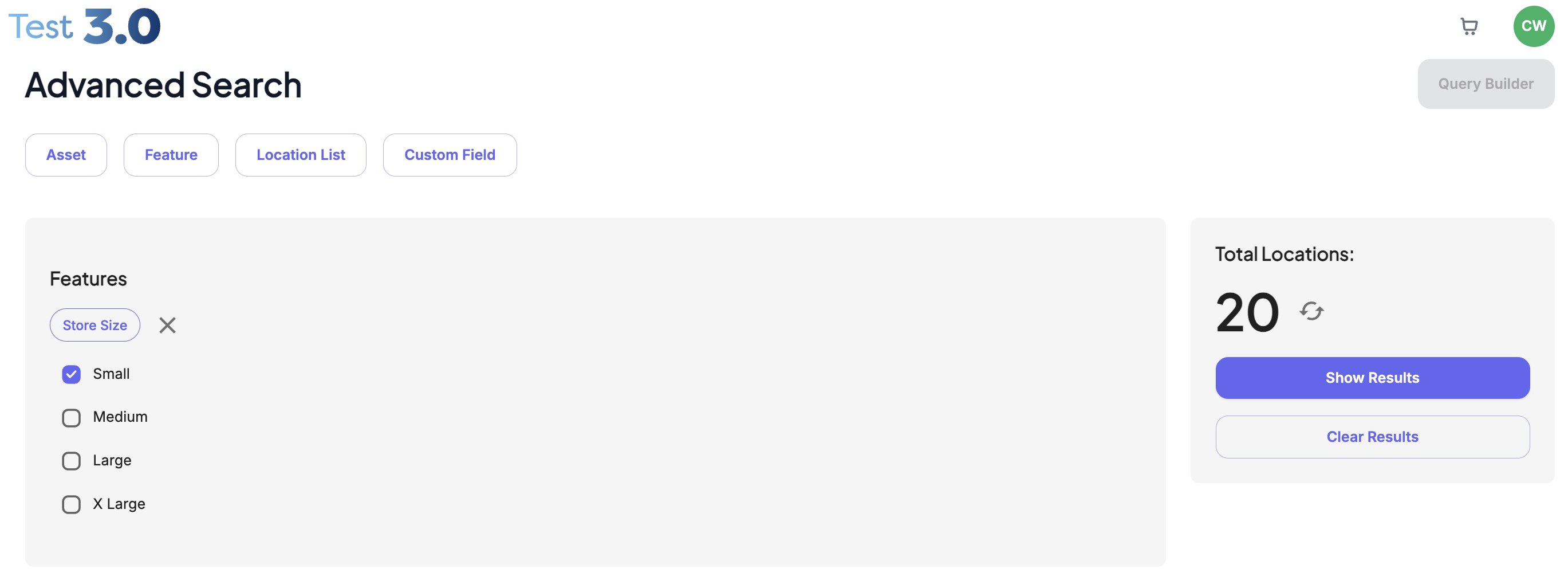
Users can now:
Toggle between both Advanced search and Global Search
Advanced Search (Query Builder) - More Complex queries
Global Search - New
Search using custom fields
Filter results within date ranges
Filter using numerical ranges
Apply more refined criteria to narrow down large datasets
These improvements make it easier to manage complex campaign and location data, particularly for users handling high volumes of information.
2. Location Profiler – Upgraded Table View
Environment: 3.0
The Location Profiler table view has been upgraded to improve usability and speed of navigation.
Enhancements include:
Improved and more responsive table filters
Faster identification of relevant locations
Better handling of larger datasets
This update enables users to locate and manage store data more efficiently.
3. New Global Image Search – Location Profiler
Environment: 3.0
A new Global Image Search capability has been introduced within Location Profiler.
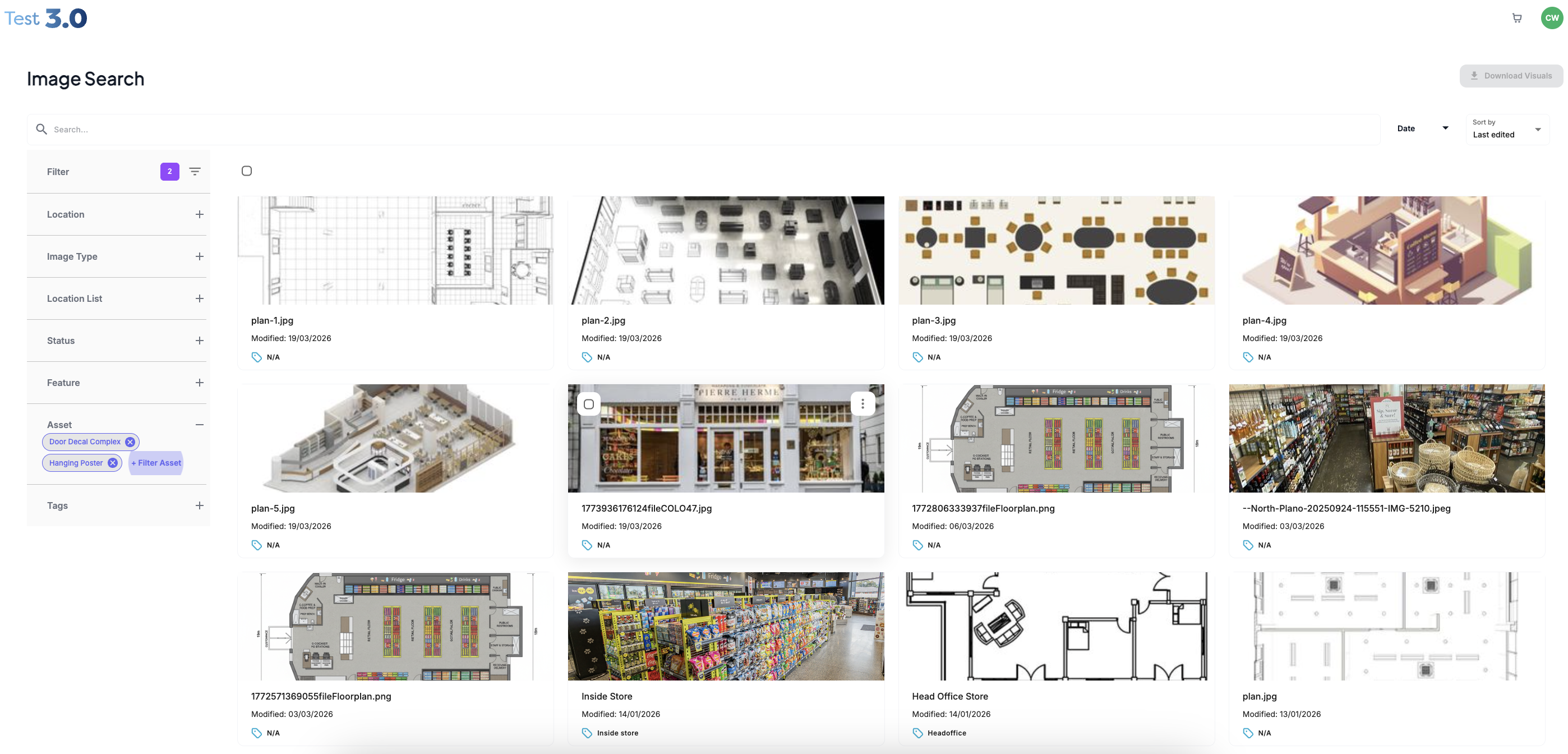
Users can now:
Search for locations based on associated images
Filter using image tags
Quickly identify locations using visual asset references
This enhancement improves asset management and simplifies the process of locating stores based on visual data.
4. New Location Activity Log
Environment: 3.0
An Activity Log has been added to each location within Location Profiler.
Users can now:
Track edits and amendments made to a location
View time and date stamps
See which user made the change
This feature increases transparency, supports audit requirements, and provides clearer accountability across location data management.
Was this article helpful?
That’s Great!
Thank you for your feedback
Sorry! We couldn't be helpful
Thank you for your feedback
Feedback sent
We appreciate your effort and will try to fix the article