We’ve rolled out a set of updates designed to make planning, searching, and managing campaigns a little smoother day-to-day. From a new calendar view to smarter filtering and more flexible POS setup, these improvements are all about saving time and giving you better visibility across your data.
In this release, you’ll see updates to Bookings and Campaign Builder, enhancements to Inventory filtering, and expanded access for Location Group Managers.
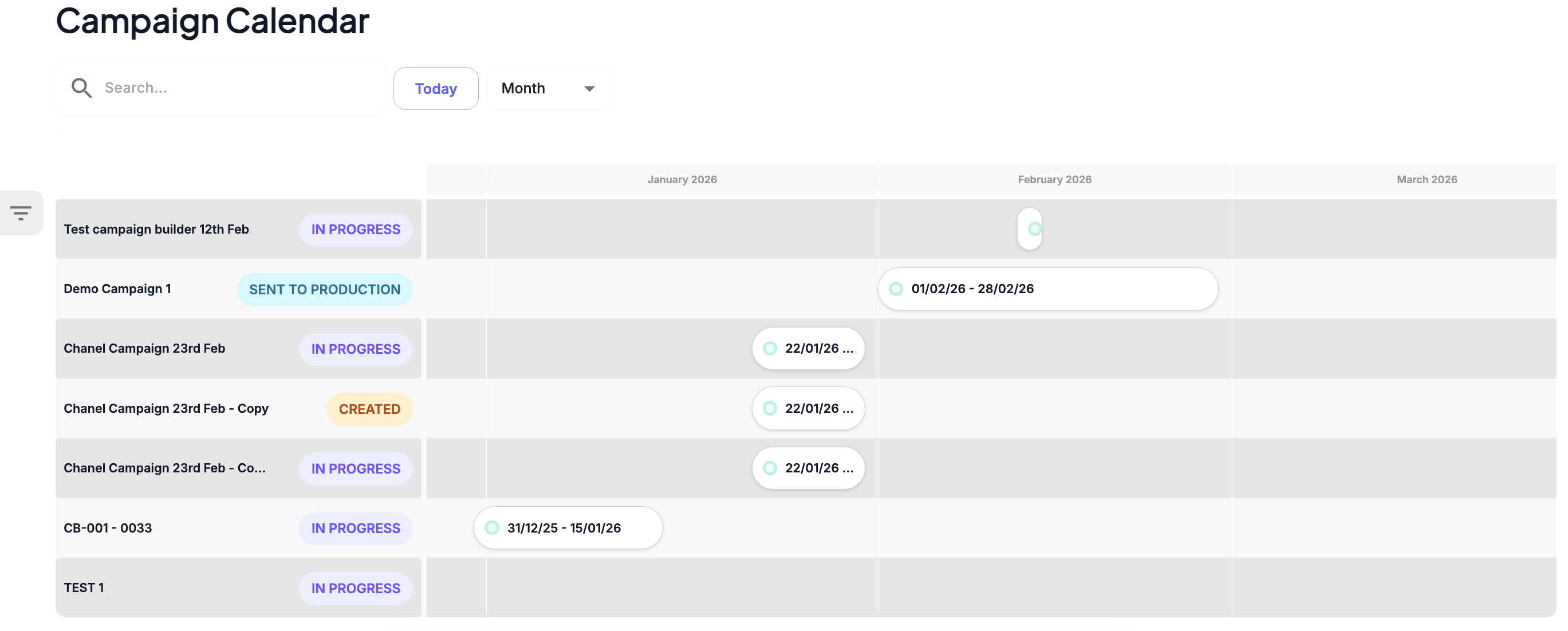
1. Calendar View for Bookings and Campaign Builder
Environment: 3.0 & Retail Media
Planning just got more visual.
You can now switch to a Calendar View to see bookings and campaign activity laid out over time. This makes it easier to:
- Spot gaps and availability at a glance
- View planned items across different categories
- Get a high-level overview of upcoming activity
It’s a simpler way to understand what’s happening and when, without digging through the database.
2. Improved Filtering in Inventory Management
Environment: Retail Media
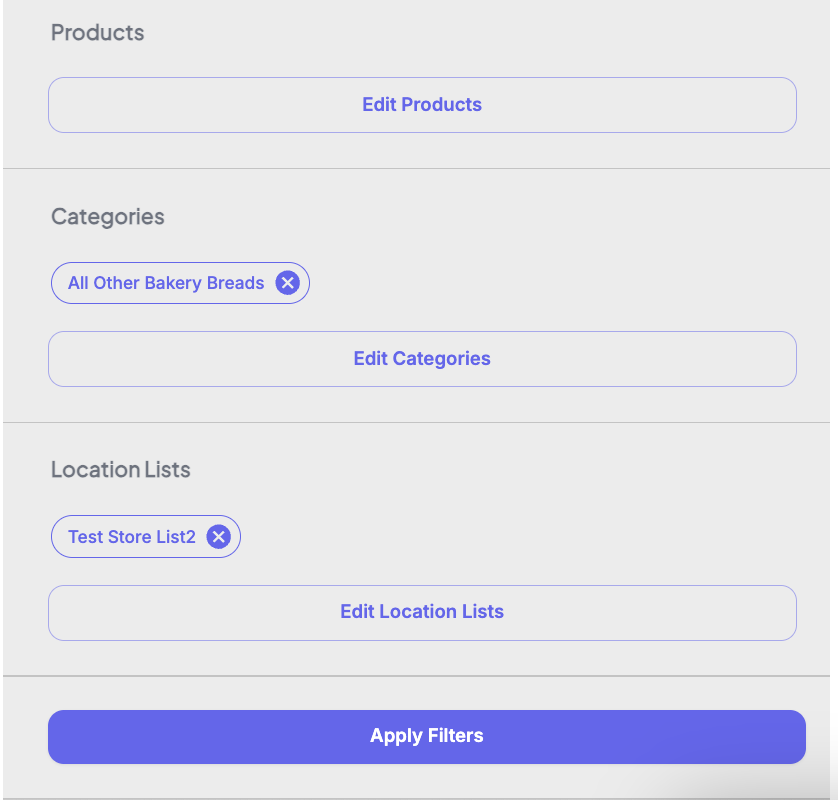
Filtering large datasets is now quicker and more efficient.
You can now:
- Select multiple filters before applying them
- Reduce repeated loading when refining results
- Narrow down inventory data in fewer steps
This update is especially useful when working with larger inventories or more complex filter combinations.
3. Customisable POS Codes in Campaign Builder - Upgrade
Environment: 3.0
More flexibility, less manual work.
POS codes can now be configured to include custom fields, allowing you to:
- Align POS structures with your internal requirements
- Incorporate campaign, product, or custom attributes into codes
- Standardise outputs across different use cases
This makes it easier to maintain consistency while supporting more complex setups.
4. Expanded Search Access for Location Group Managers - Upgrade
Environment: 3.0
Better access to the tools you need.
Location Group Managers can now use:
- NEW Advanced Search (Query Builder)
- NEW Global Image Search
…across the locations they’re assigned to.
This enables:
- More detailed and flexible data queries
- Faster access to location-specific assets
- Improved visibility without needing broader permissions
Was this article helpful?
That’s Great!
Thank you for your feedback
Sorry! We couldn't be helpful
Thank you for your feedback
Feedback sent
We appreciate your effort and will try to fix the article