Start assigning Group Managers to Store Groups.
Roles required
Admin role - Full access
Superuser - Reduced access - Cannot delete and download
Start assigning
- Go to Admin > Users
- Search for the Group Manager user account and select
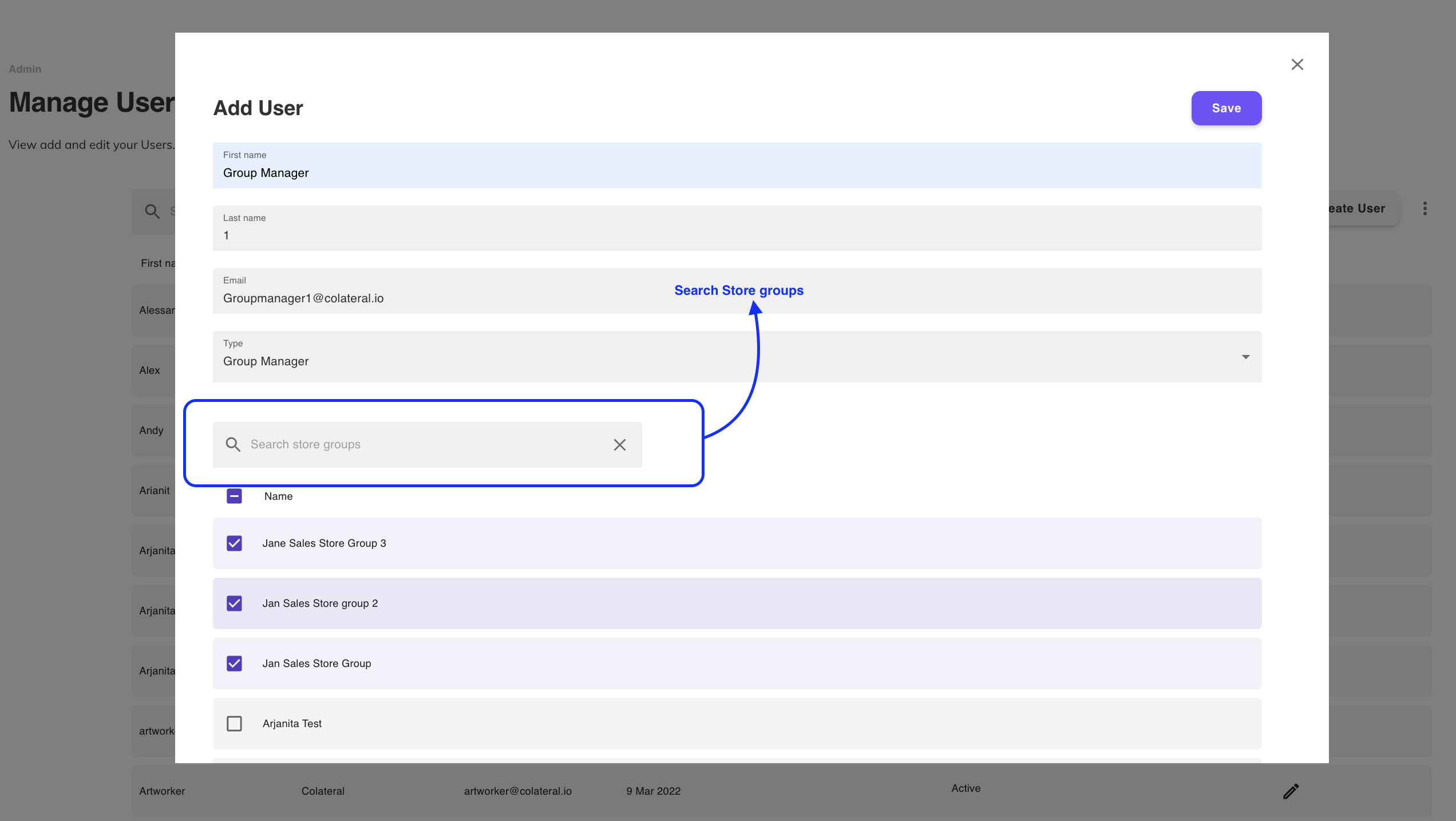
- Scroll down to Store Groups section and select Add Store Groups
- Select all required Store Groups and save
Was this article helpful?
That’s Great!
Thank you for your feedback
Sorry! We couldn't be helpful
Thank you for your feedback
Feedback sent
We appreciate your effort and will try to fix the article