The "Hidden Field" allows you to archive "Text Type" custom fields configured in the system.
Admin role: Full access
Make Fields Hidden
1. Click the 3 dots of an existing group
2. Find your "Text Type" Field
3. Change Field Type to "Hidden"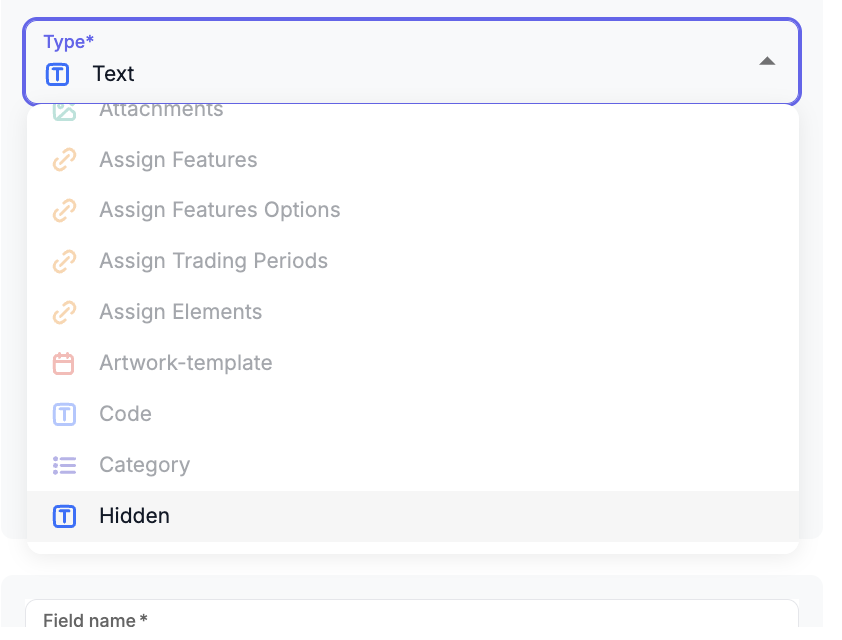
4. Save
Your field will now be remove from the UI.
Restore Field
1. Go back to the field type and change back to Text Type
Was this article helpful?
That’s Great!
Thank you for your feedback
Sorry! We couldn't be helpful
Thank you for your feedback
Feedback sent
We appreciate your effort and will try to fix the article