This month’s feature release introduces a refreshed Admin Page with improved navigation, new workflow enhancements for Bookings and Artwork Briefs, and the launch of the new Colateral Landing Page across all sites.
1. Admin Page – New UX
Environments: All
The Admin experience has been redesigned, consolidating all admin functions into a single, easy-to-navigate page. Users can now pin up to 3 admin functions so their most frequently used tools always appear at the top, otherwise they will display alphabetically. The new Admin Page improves efficiency and reduces time spent searching for key settings.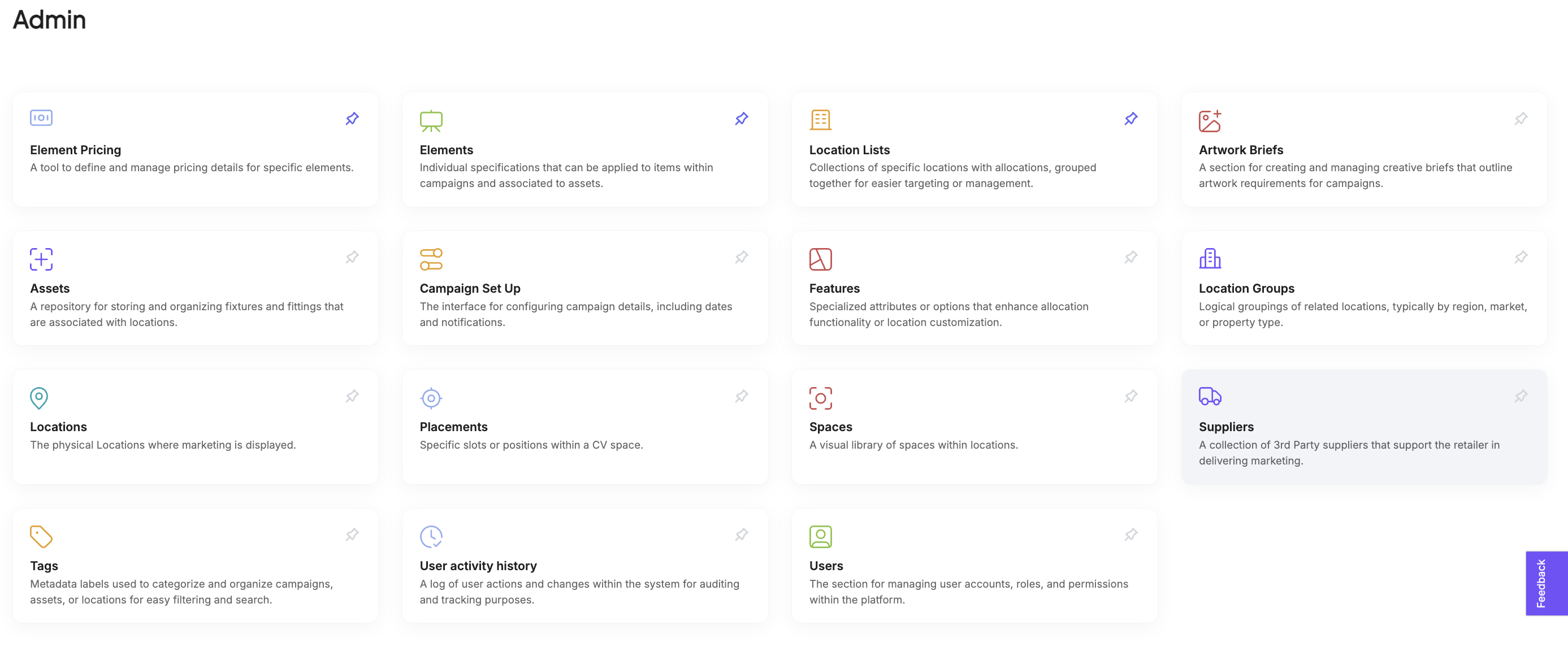
2. Booking Management – Reserved Status Warning
Environments: 3.0
A new warning now appears when attempting to move bookings with a reserved status into production. These reservations will not generate allocations in production and will show a quantity of 0, helping minimise production errors and ensuring bookings are processed correctly.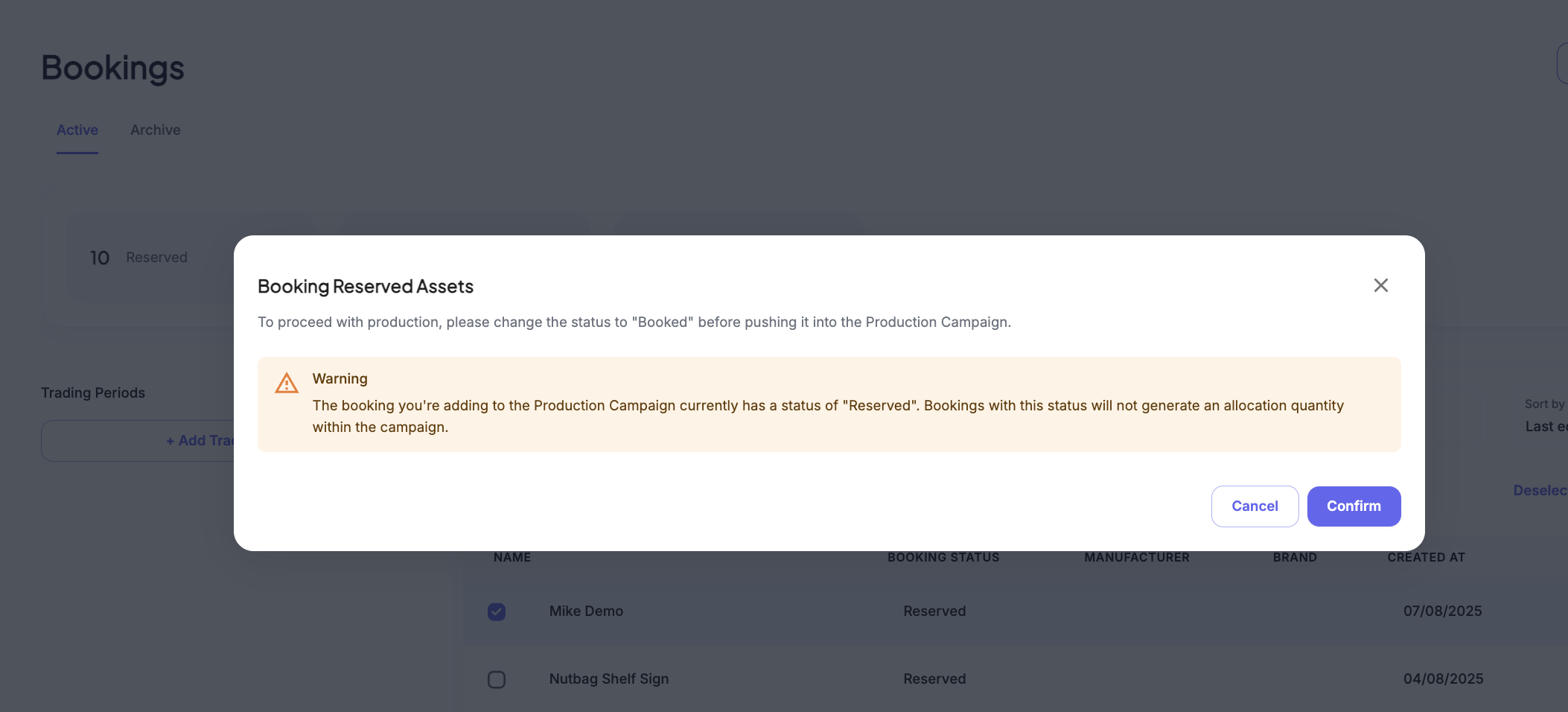
3. Artwork Briefs – Create from Booking Form
Environments: 3.0
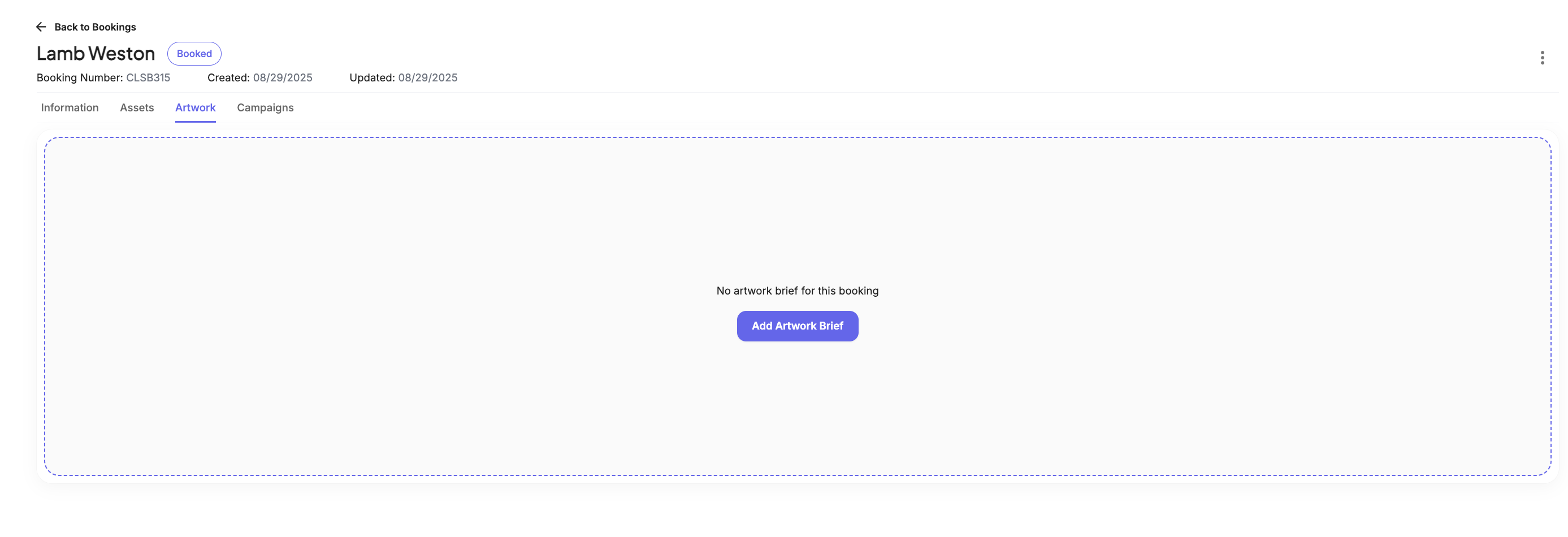
Users can now create new Artwork Briefs directly within a Booking Form. Alongside selecting briefs from the existing library, this new functionality allows users to stay in their workflow and streamline the process of adding artwork briefs to bookings.
4. New Landing Page – Live Across All Sites
Environments: All
The new Colateral landing page is now live across all client sites. Upon login, users are directed to a central home page with quick links to key areas of the platform, including Campaign Builder, Location Profiler, Asset Availability (for retail media clients), Artwork Briefs, Insights, User Activity History, and Location Lists. The page also features helpful resources to guide users in getting to know Colateral better.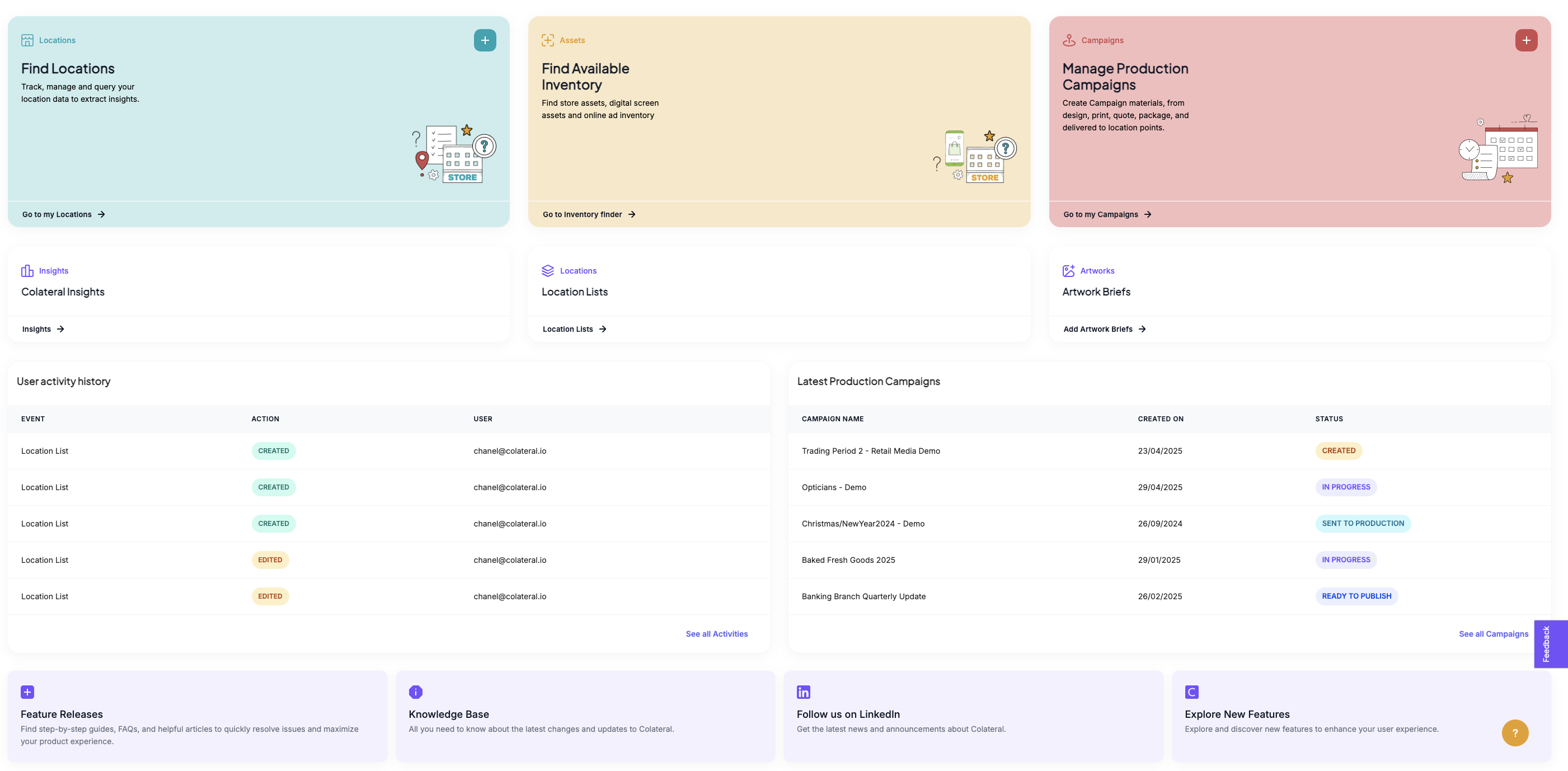
Was this article helpful?
That’s Great!
Thank you for your feedback
Sorry! We couldn't be helpful
Thank you for your feedback
Feedback sent
We appreciate your effort and will try to fix the article