If there's a Location closing down, or going into refurbishment, you can exclude this data out of the database by archiving
Roles required
Admin role - Full access
Superuser - Reduced access - Cannot delete and download
Start Archiving/Unarchiving
1. Go to Admin > Location
2. Select the Location(s) to archive by ticking the boxes
3. Click the 3 dots on the right and select Archive Locations
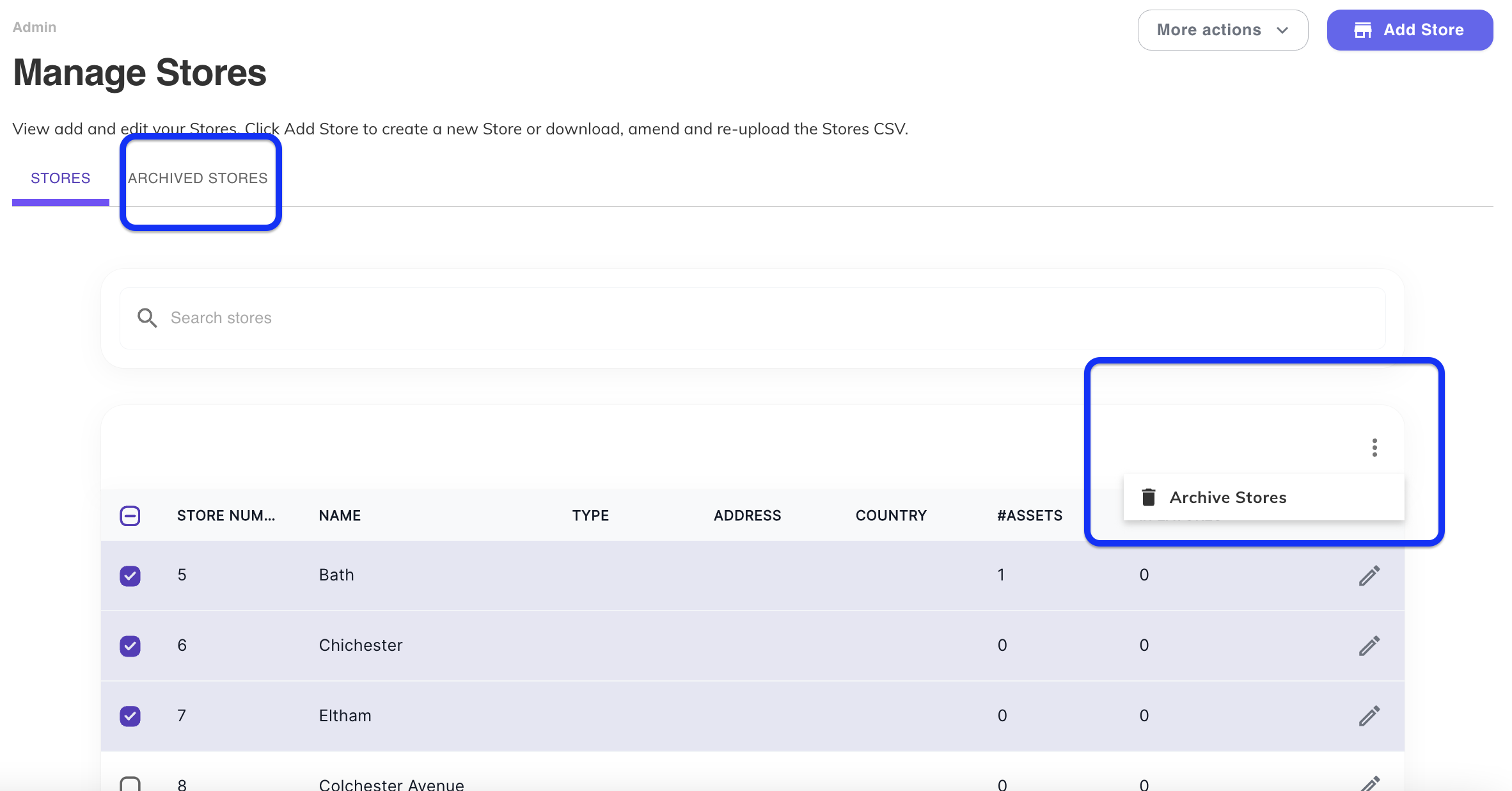
4. If you need to reLocation an archived Location, select the Archive Locations tab
5. Tick box all Locations, press the 3 dots on the right and select ReLocation Items
Was this article helpful?
That’s Great!
Thank you for your feedback
Sorry! We couldn't be helpful
Thank you for your feedback
Feedback sent
We appreciate your effort and will try to fix the article