Start creating asset and element associations, which can be performed in bulk and uploaded into the system
Roles required
Admin role - Full access
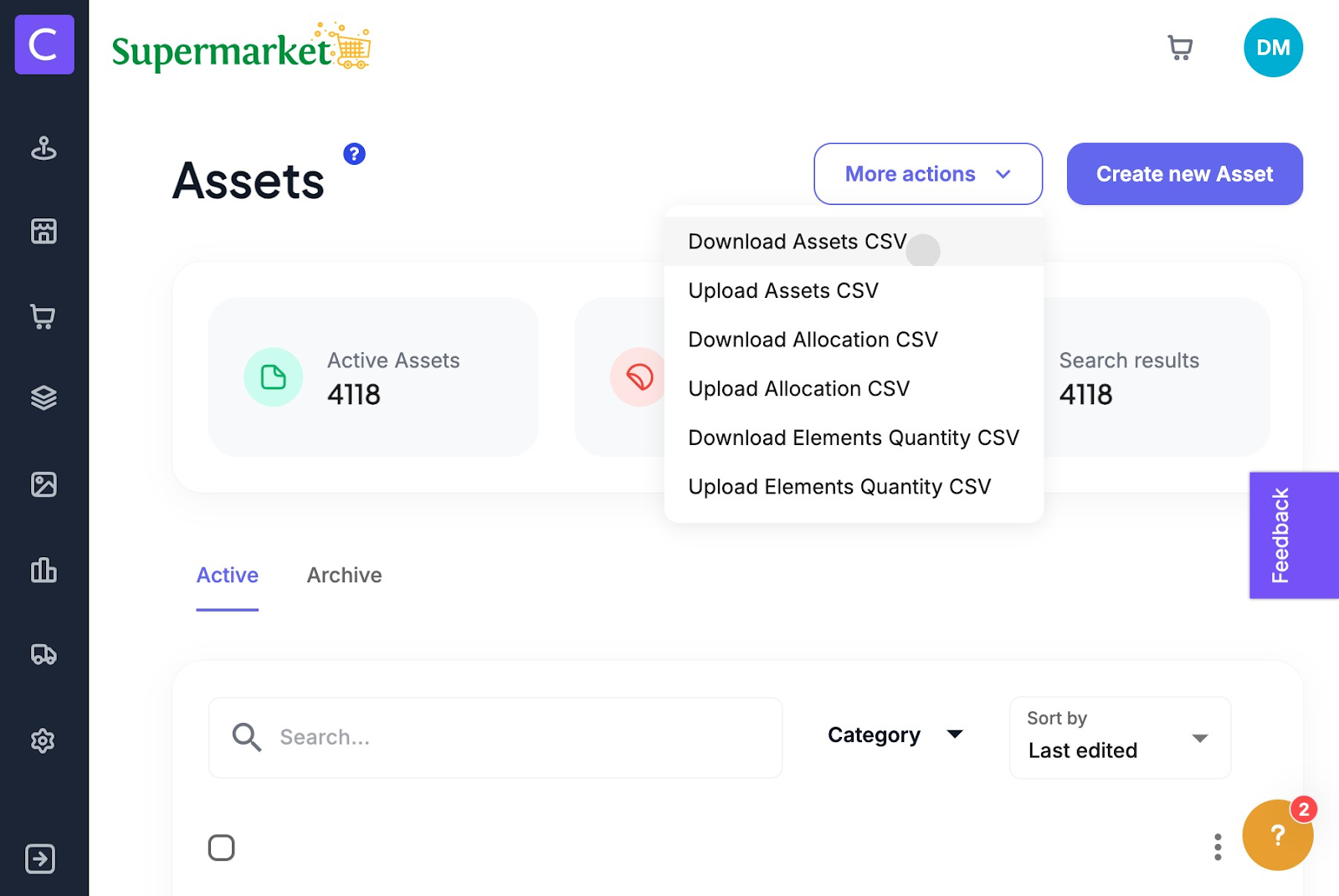
1. Start to download Download Element Quantity CSV. The spreadsheet will download to your desktop
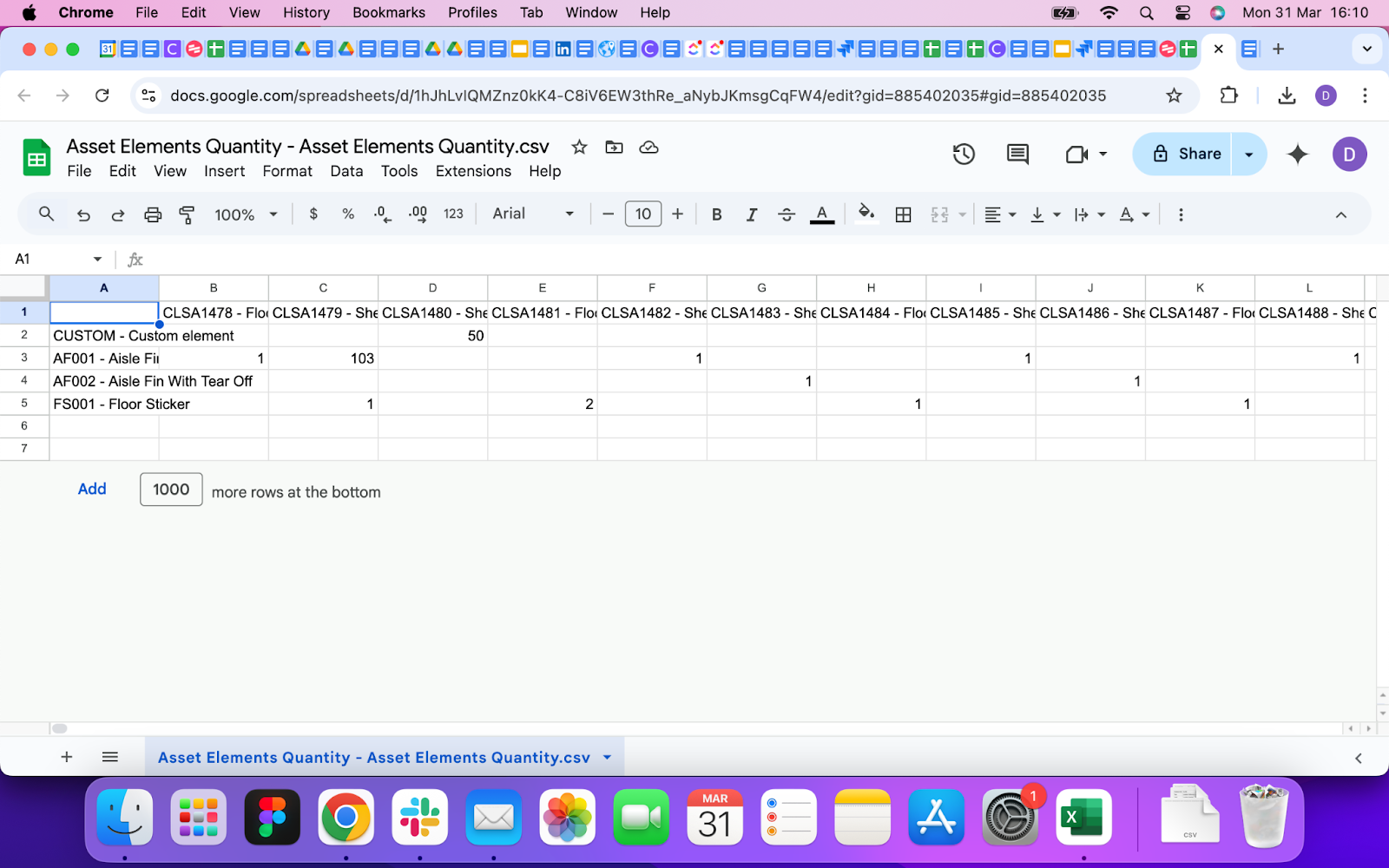
2. In the download spreadsheet you can set Element quantities for each Asset
3. Once all complete, upload the data into Colateral by simply clicking Upload Elements Quantity CSV and this will then associate elements to your assets.
Was this article helpful?
That’s Great!
Thank you for your feedback
Sorry! We couldn't be helpful
Thank you for your feedback
Feedback sent
We appreciate your effort and will try to fix the article