Elements are individual specification attributes that can be applied to items within campaigns and linked to Assets.
Admin: Full Access
Super User: Edit Only
Basic User: View Only
Log in and navigate to Admin > Assets.
Open the Asset you want to edit.
Scroll down to the Elements section.
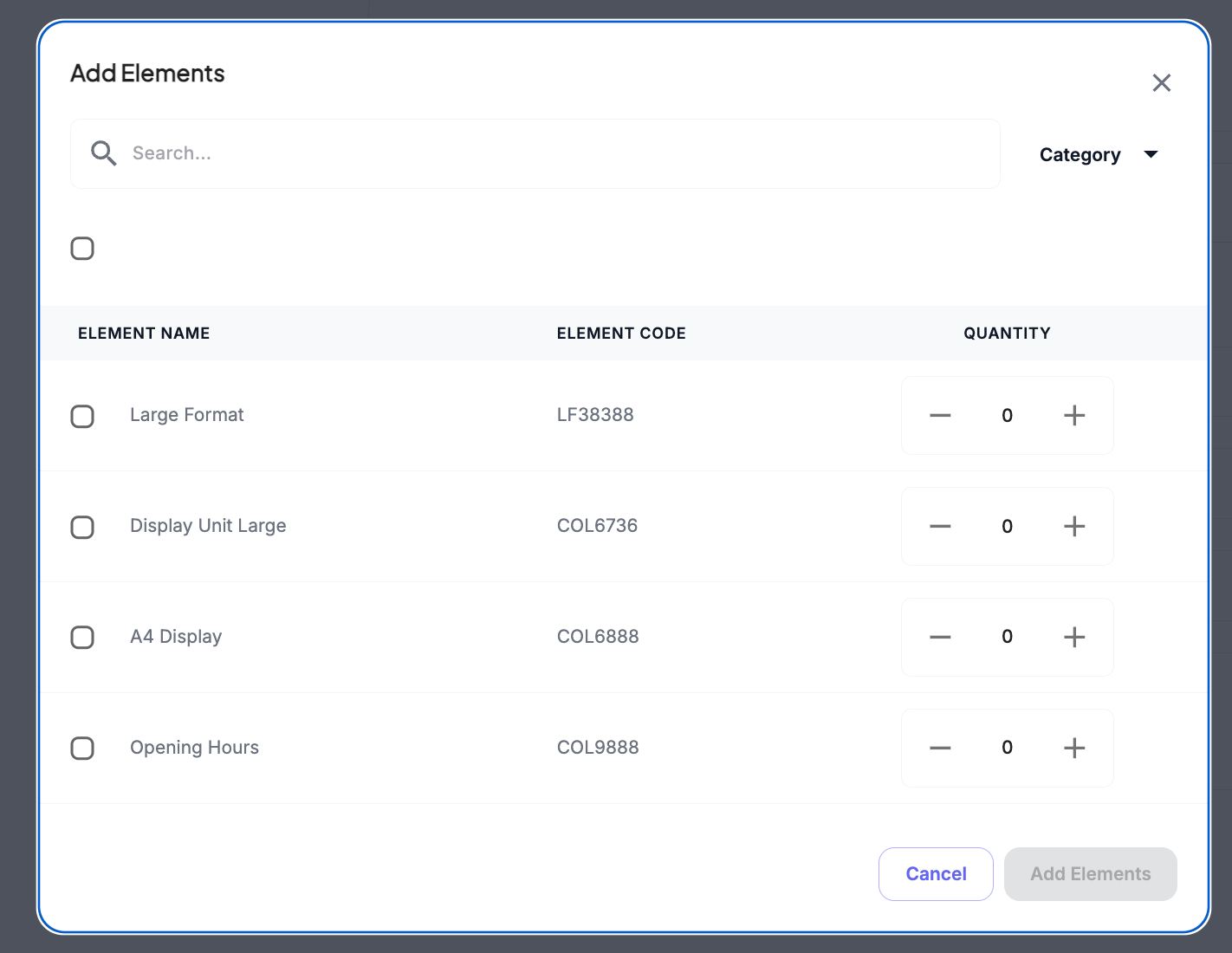
Select + Add Elements.
Use the search bar or scroll to assign the relevant Elements to link to Asset.
Add extra quantities to assign more than 1
Select Save when finished.
Was this article helpful?
That’s Great!
Thank you for your feedback
Sorry! We couldn't be helpful
Thank you for your feedback
Feedback sent
We appreciate your effort and will try to fix the article