Download a spreadsheet containing all Locations and their related data from the Location Profiler.
Admin: Full Access
Super User: Edit Only
Basic User: View Only
Group Manager: View & upload images & answer surveys
Export the Location List
Navigate to Location Profiler.
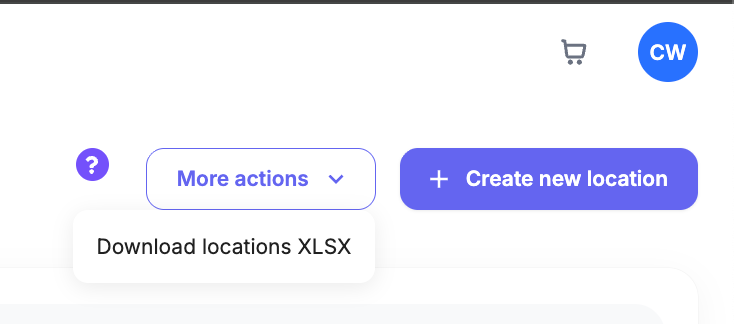
Select More actions in the top-right corner.
Choose Download locations XLSX.
The system will generate and automatically download the file to your device.
What’s Included in the Export
The exported XLSX file includes:
Location identification: Location Name and Reference Number
Address details: City, Region, State/Province, Postcode, and Country
Organizational data: Brand, Division, Subdivision, and Location Type
System details: Operational status and unique reference IDs
Was this article helpful?
That’s Great!
Thank you for your feedback
Sorry! We couldn't be helpful
Thank you for your feedback
Feedback sent
We appreciate your effort and will try to fix the article