Archiving rules helps keep the dashboard organized by removing unused rules while still preserving them for future use.
Admin: Full Access
Super User: Edit Only
Basic User: View Only
Archiving a Rule
Navigate to Allocation Rules from the Admin dashboard.
Locate the rule you want to archive.
Click the three-dot action menu
Select Archive.
The rule will move to the Inactive tab.
Restoring a Rule
Navigate to the Inactive tab in Allocation Rules.
Locate the archived rule.
Click the Restore button
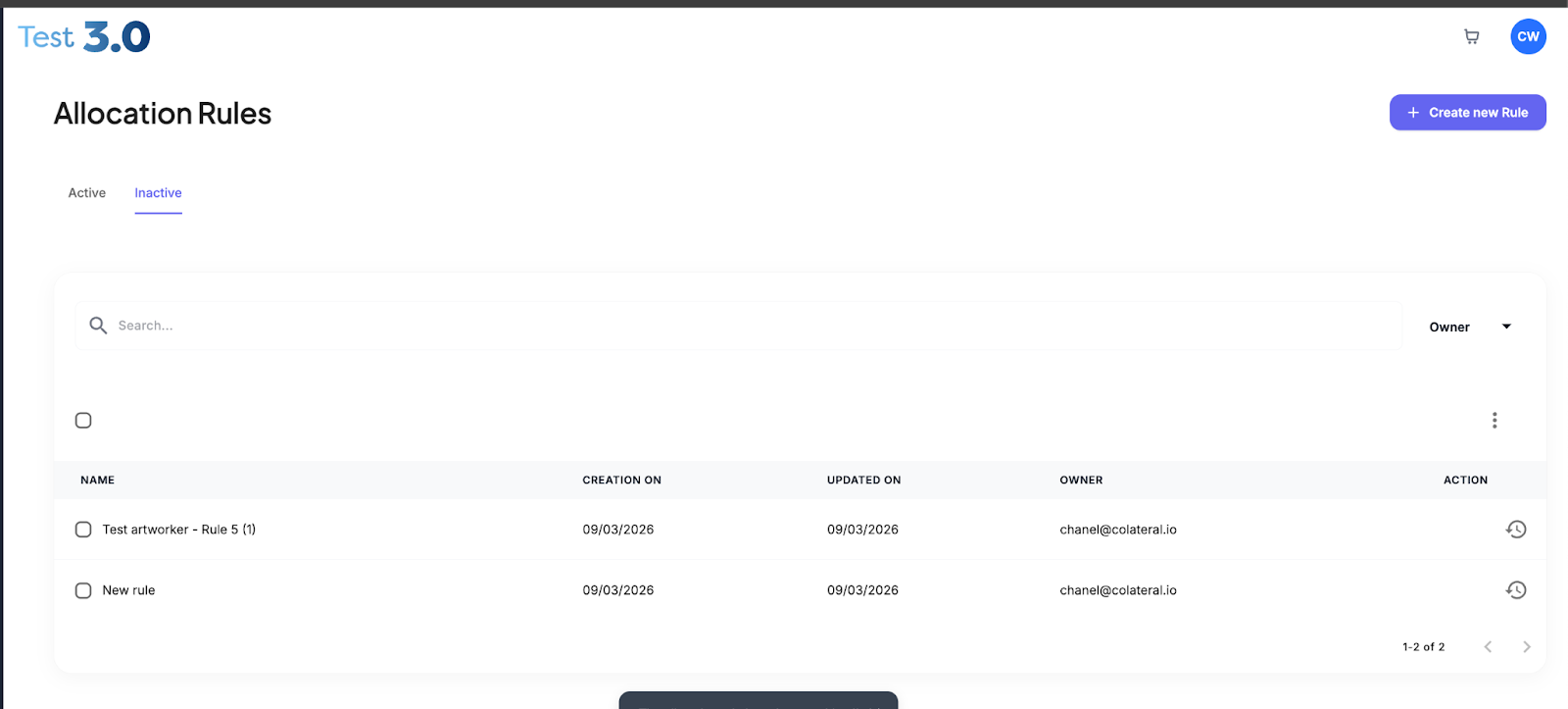
The rule will return to the Active Rules list.
Was this article helpful?
That’s Great!
Thank you for your feedback
Sorry! We couldn't be helpful
Thank you for your feedback
Feedback sent
We appreciate your effort and will try to fix the article