Rule ownership determines which user is responsible for managing a specific Allocation Rule.
Admin: Full Access
Super User: Edit Only
Basic User: View Only
Navigate to the Admin dashboard.
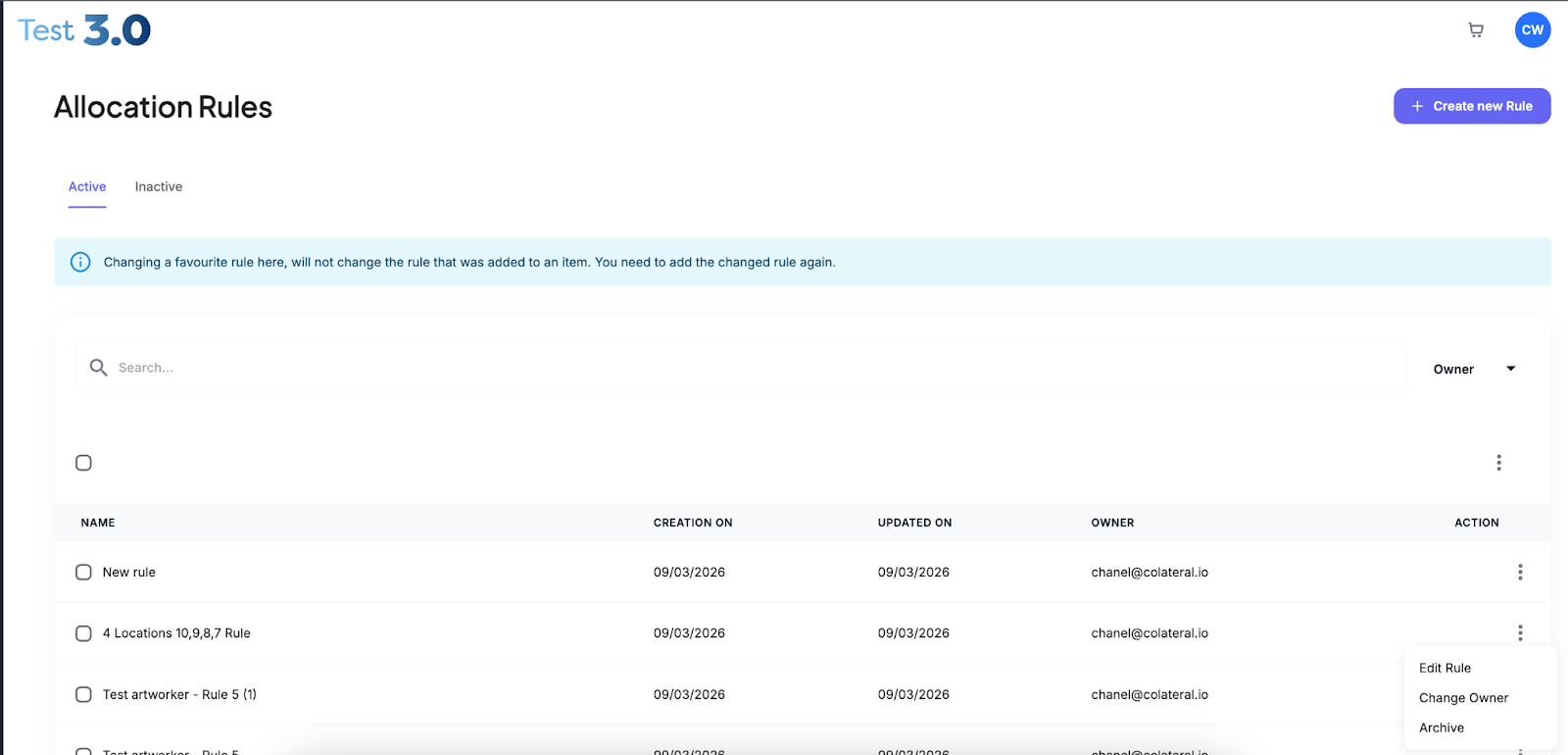
Select Allocation Rules.
Find the rule you want to update.
Click the three-dot action menu beside the rule.
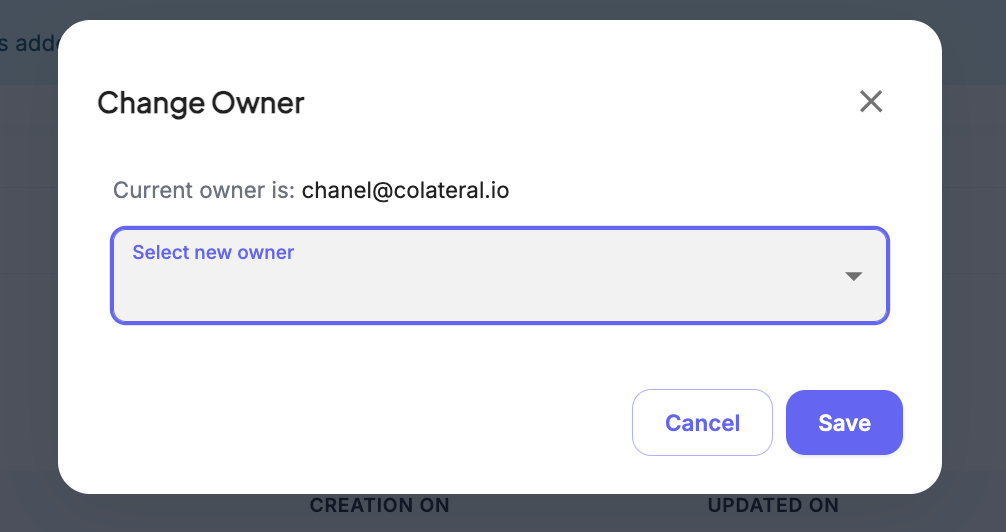
Select Change Owner.
Search for the new user in the dropdown list.
Select the user.
Click Save to apply the new ownership.
Was this article helpful?
That’s Great!
Thank you for your feedback
Sorry! We couldn't be helpful
Thank you for your feedback
Feedback sent
We appreciate your effort and will try to fix the article