Before applying an Allocation Rule to campaign items, it is important to validate that the rule is targeting the correct stores.
Admin: Full Access
Super User: Edit Only
Basic User: View Only
Navigate to Allocation Rules from the Admin dashboard.
Select the rule you want to review.
Review Target Locations
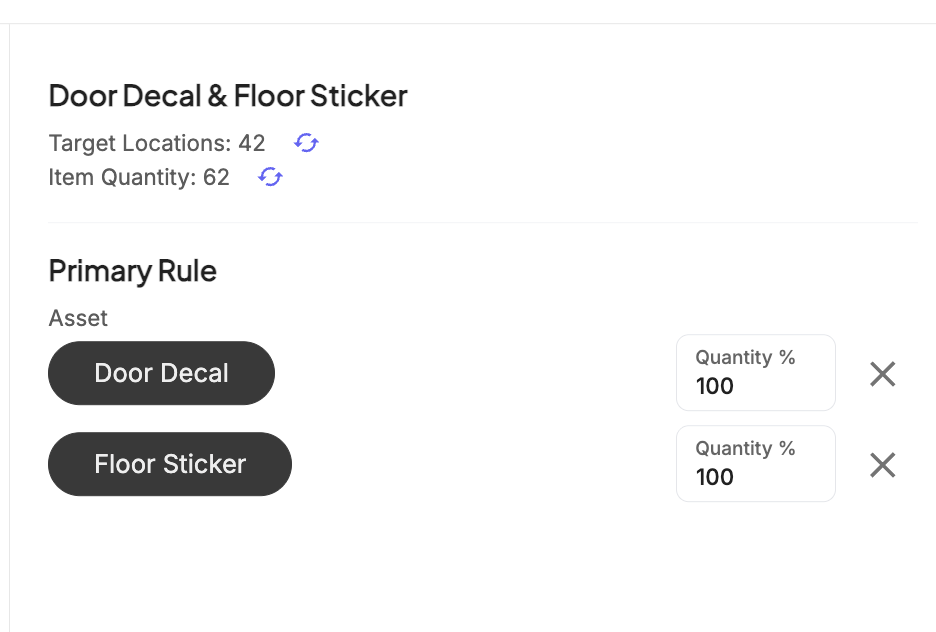
The rule builder will display a Target Locations summary showing:
Total number of stores affected
Calculated Item Quantity
Adjust Rule Logic if Needed
If the location count appears incorrect:
Edit the Primary Rule selection.
Adjust or remove Variables.
Once the targeting is correct, select Save Allocation.
Was this article helpful?
That’s Great!
Thank you for your feedback
Sorry! We couldn't be helpful
Thank you for your feedback
Feedback sent
We appreciate your effort and will try to fix the article