Start creating Administrator roles for your Account Managers, Marketing Managers, and whoever else will be in control of your database.
Roles required to get creating
Admin role - Full access
Superuser - Can view, cannot edit or create new users
Start Creating
1. Go to Admin > User
2 Select Create User to start creating
3. Fill out all fields
- First Name
- Last Name
- Phone
- Company
- Department - Create Departments by free typing into this section. You can Manage this section in Tags Management
- User Type - Set to Administrator
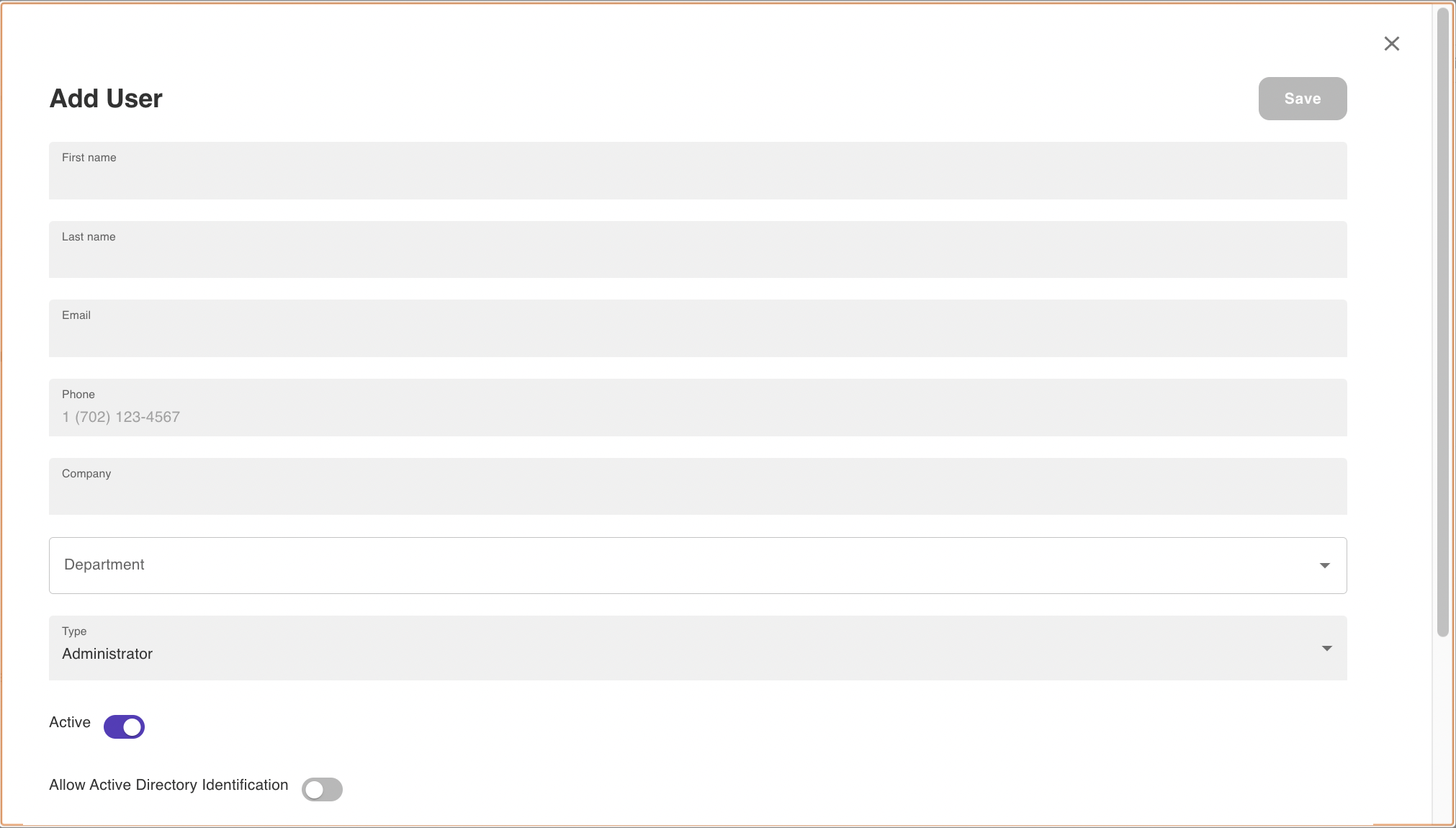
4. Make the user account Active/Inactive by toggling On/Off
5. Set a password
Your password must have:
At least one lowercase character
At least one uppercase character
At least one number
6. Scroll to top of page and Save
Was this article helpful?
That’s Great!
Thank you for your feedback
Sorry! We couldn't be helpful
Thank you for your feedback
Feedback sent
We appreciate your effort and will try to fix the article