Admin: Full Access
Super User: Edit Only
Basic User: Create & Manage
Navigate to the booking management page by clicking Campaigns and Booking Management.
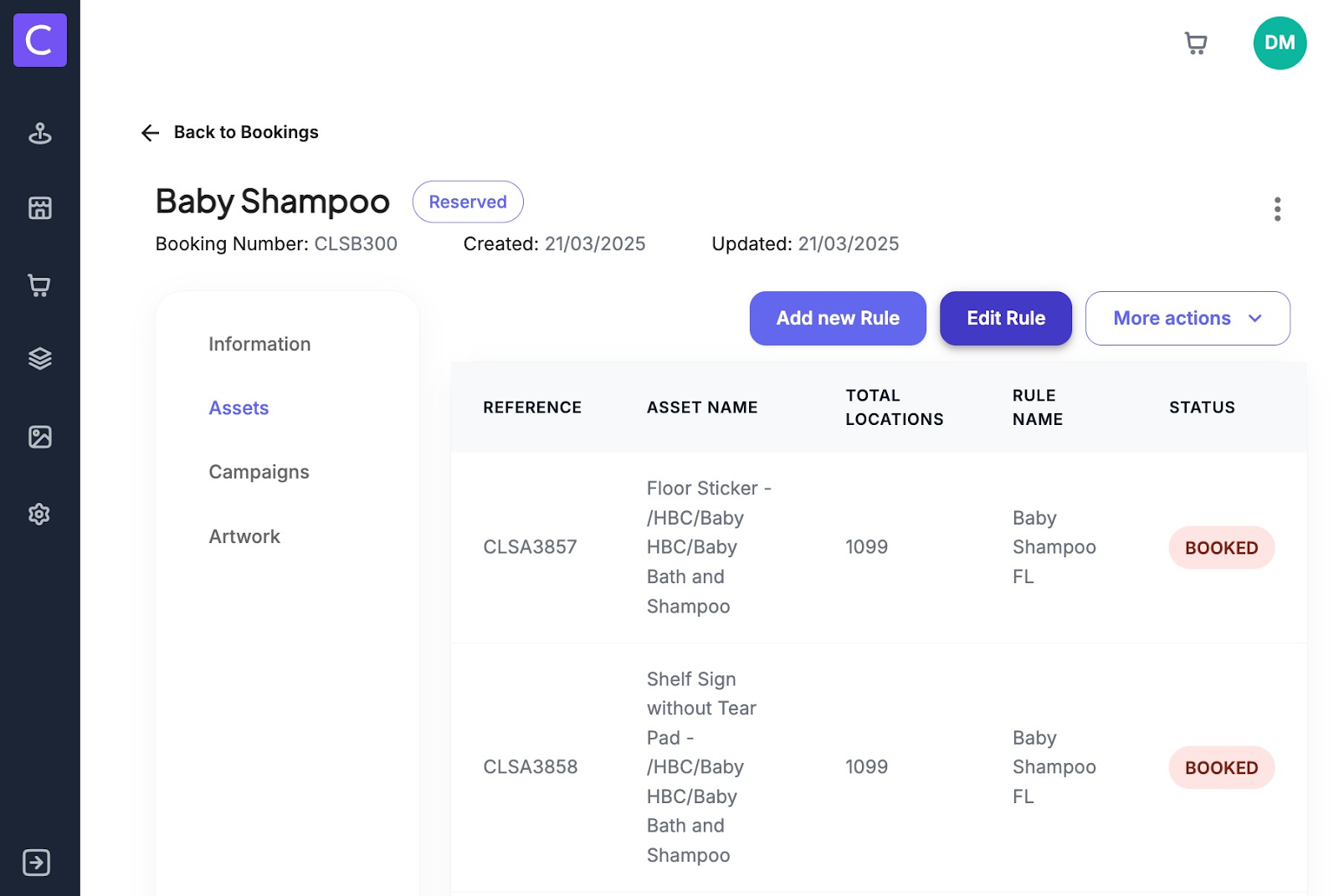
Select the booking you want to make edits to and navigate to the assets tab of the booking form
To edit a rule simply select the edit rule button on this page
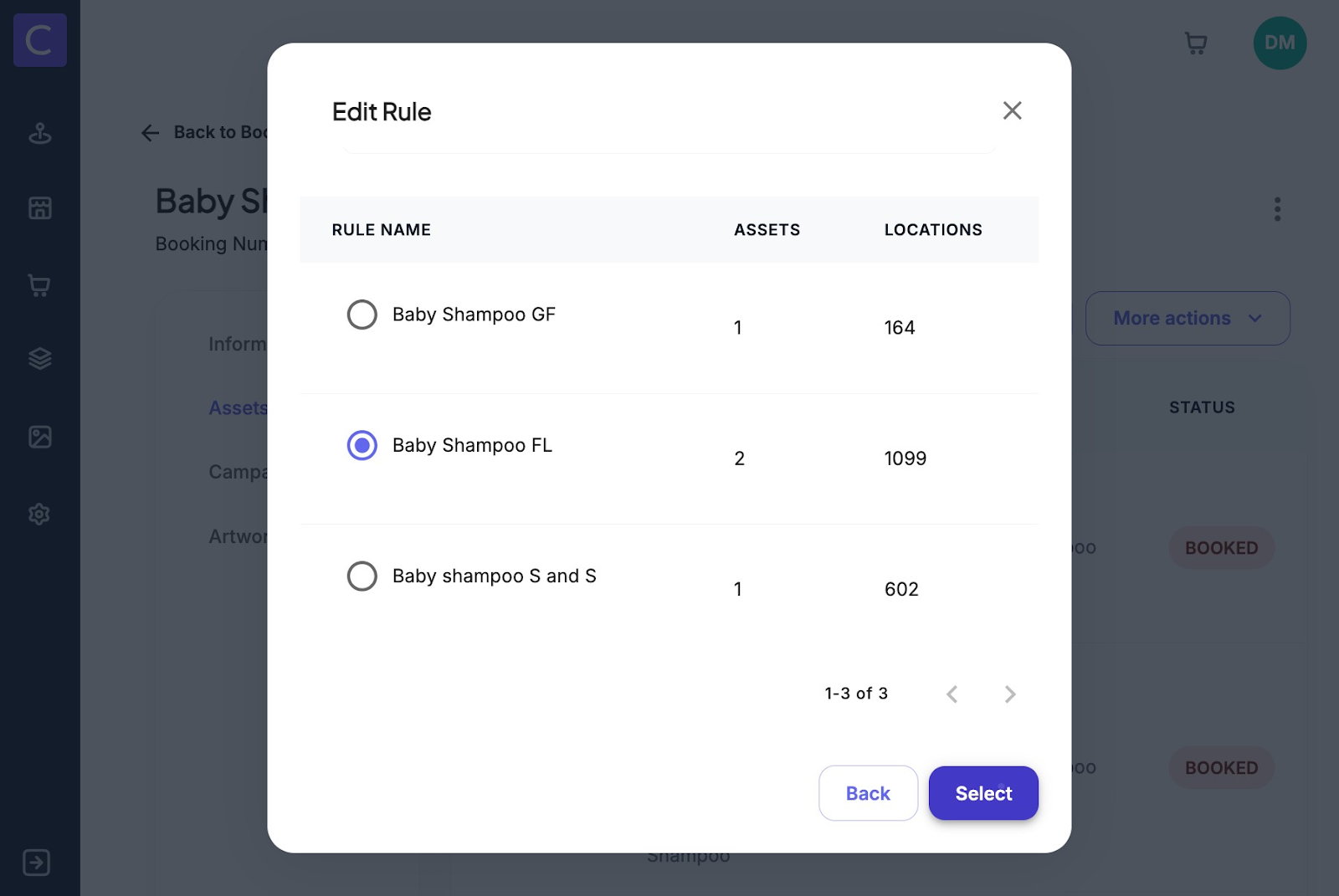
Users will then need to select which rule they want to edit
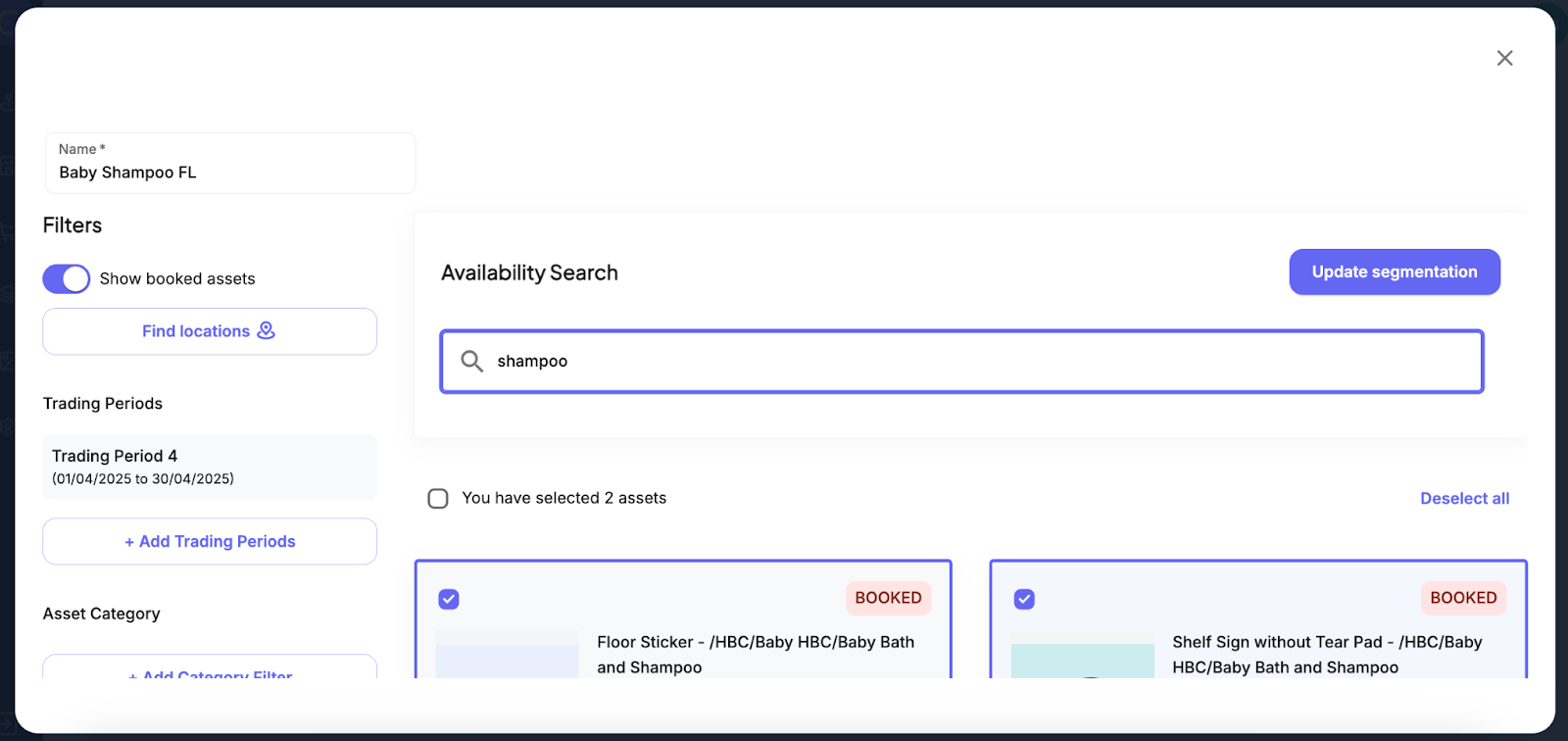
The user is then taken to the asset finder modal where they can edit their search accordingly to save the changes they click update segmentation and the changes will be reflected in the booking
Was this article helpful?
That’s Great!
Thank you for your feedback
Sorry! We couldn't be helpful
Thank you for your feedback
Feedback sent
We appreciate your effort and will try to fix the article