Admin: Full Access
Super User: Edit Only
Basic User: Create & Manage
Linking Segments to an Artwork Brief
1. Navigate to Campaign Builder and choose the campaign you want to work on.
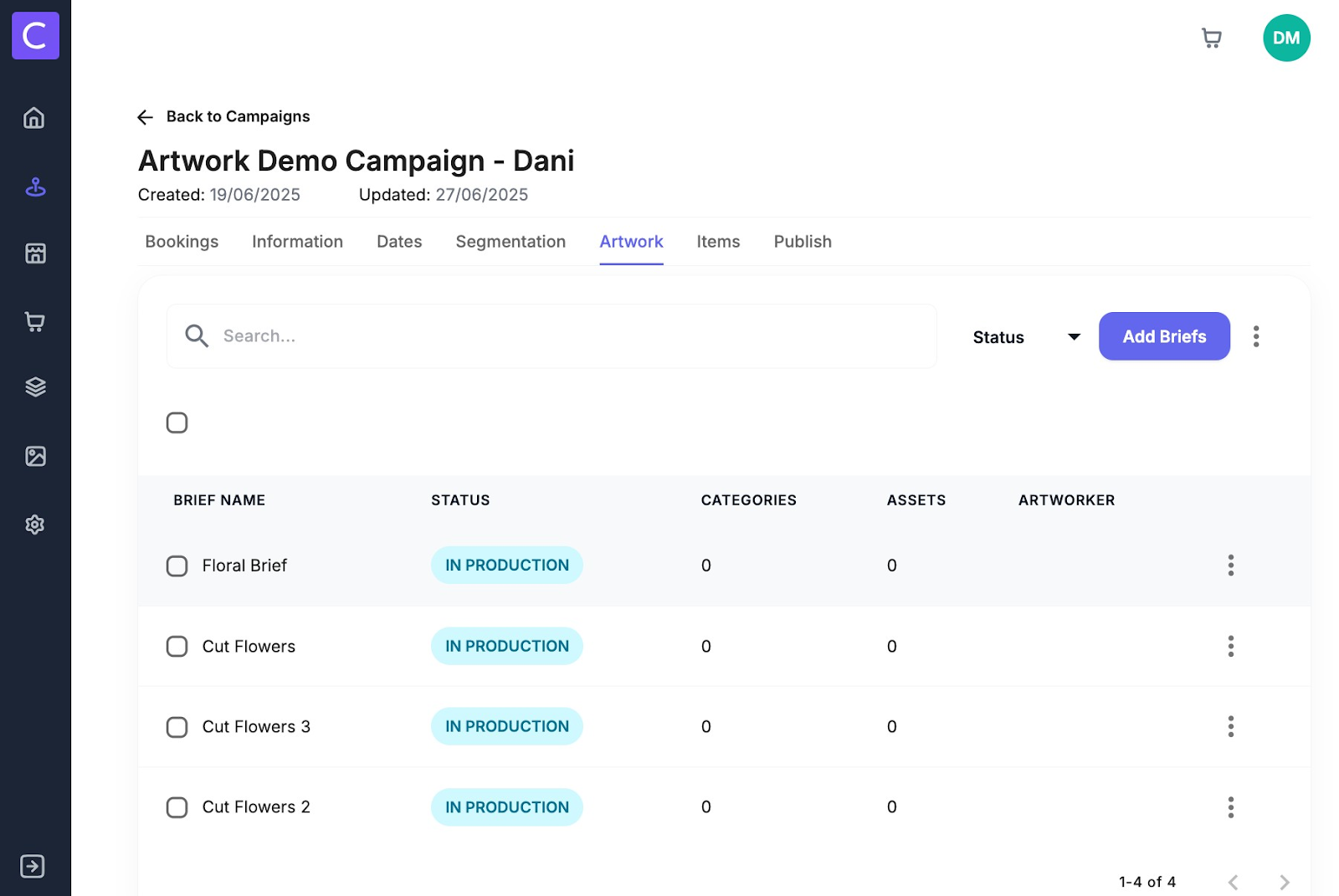
2. Once inside a campaign select the artwork tab
3. To link segmentations to an artwork brief simply select a brief to open it - Note segments and artwork briefs need to be linked for item generation
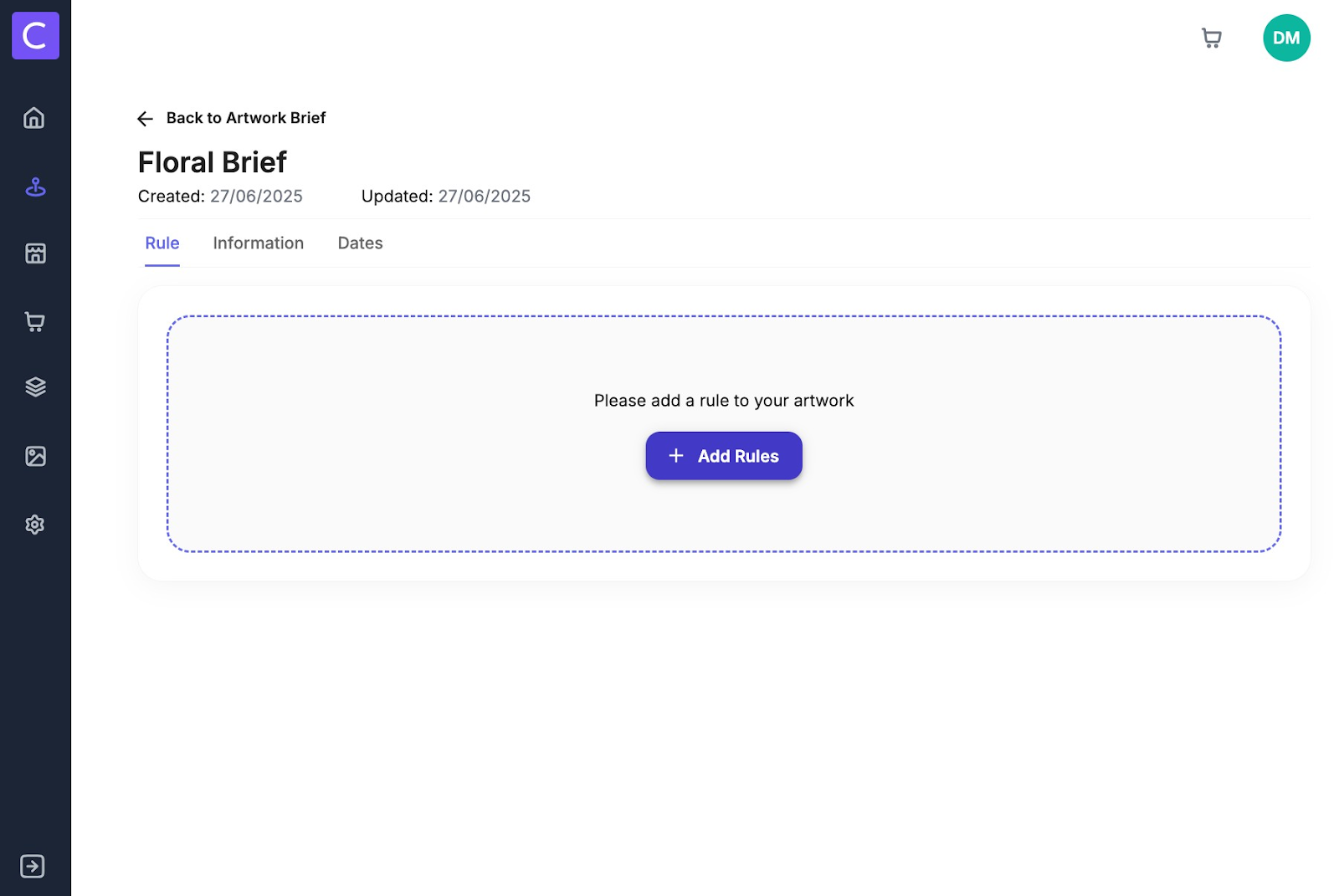
4. Once within a brief to associate to a segment click add rules
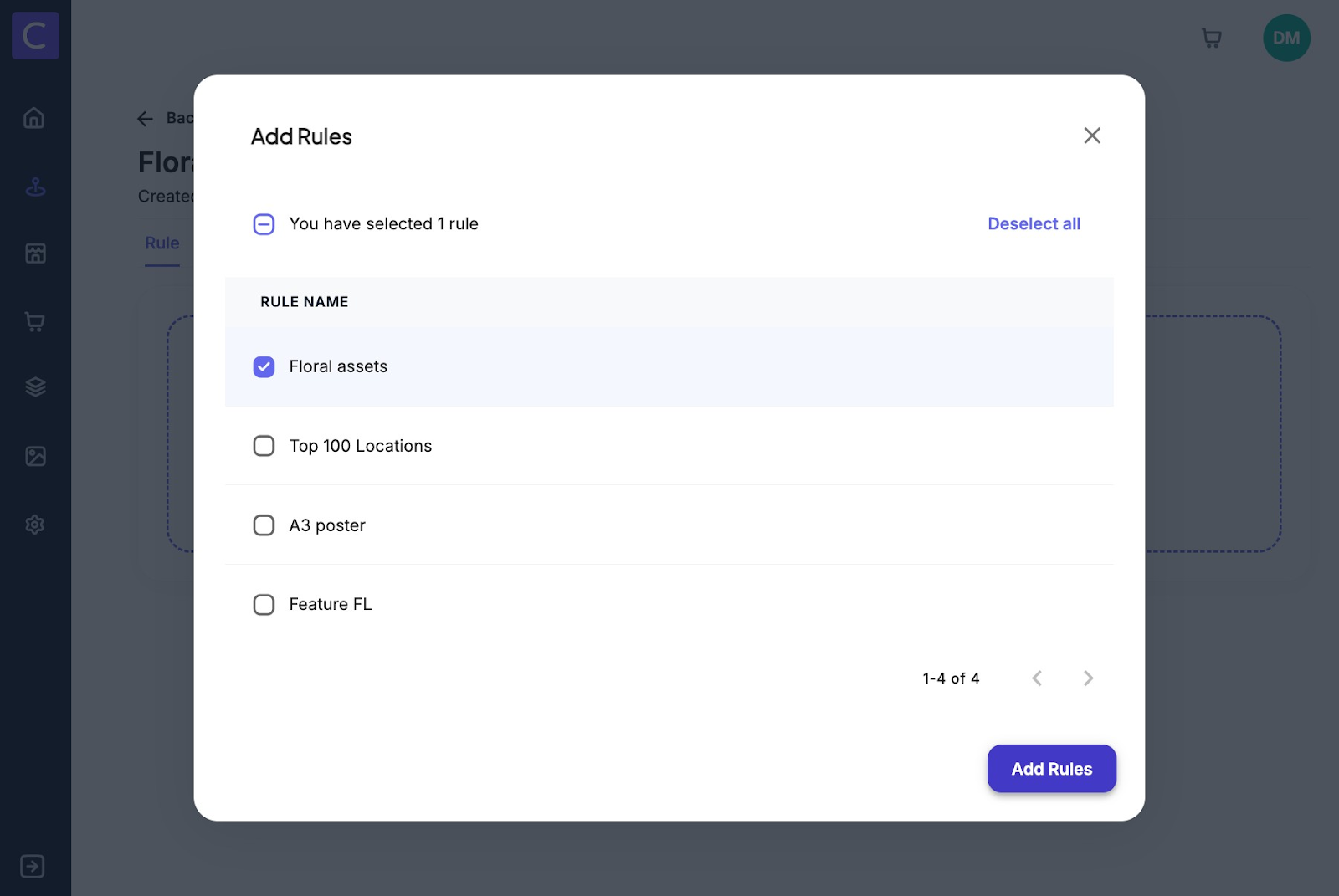
5. You will then see a list of segments that are in your campaign. Select the segments you want to link to the artwork brief and click add rules.
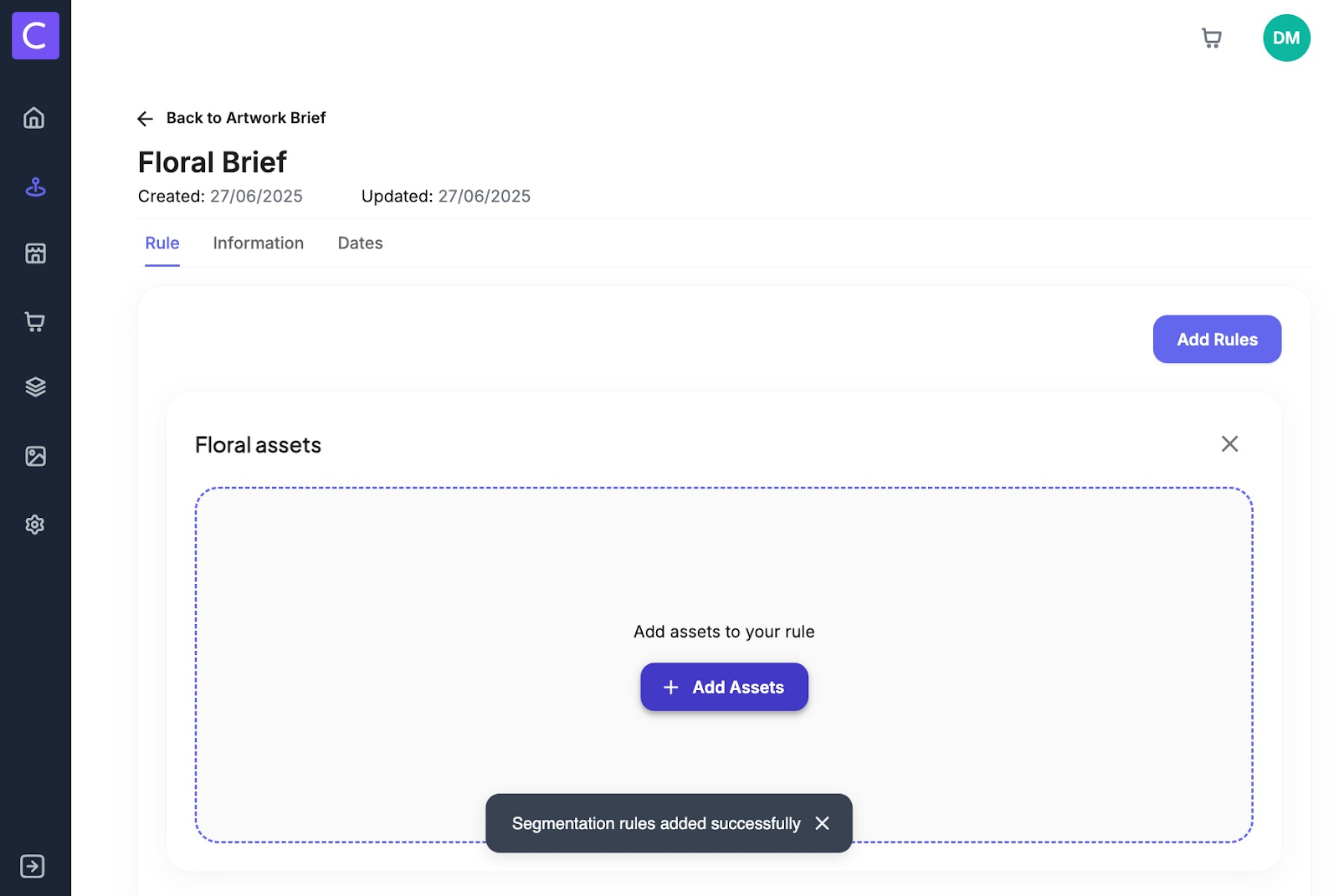
6. Segments that have been linked to an artwork brief also need to have assets associated with them. To do this simply click add assets under the segment
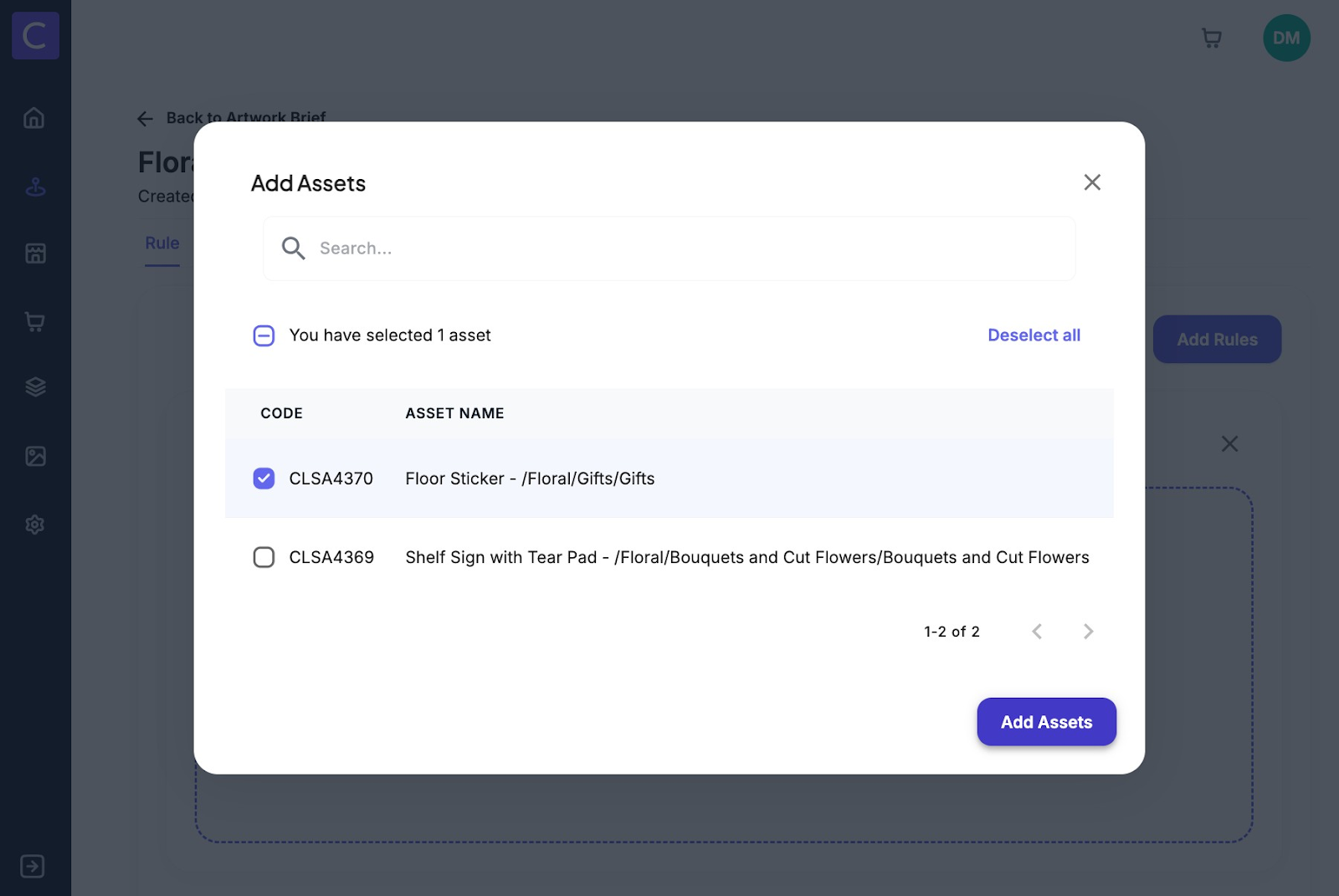
7. Select which assets you want to allocate this brief and segment to and click add assets
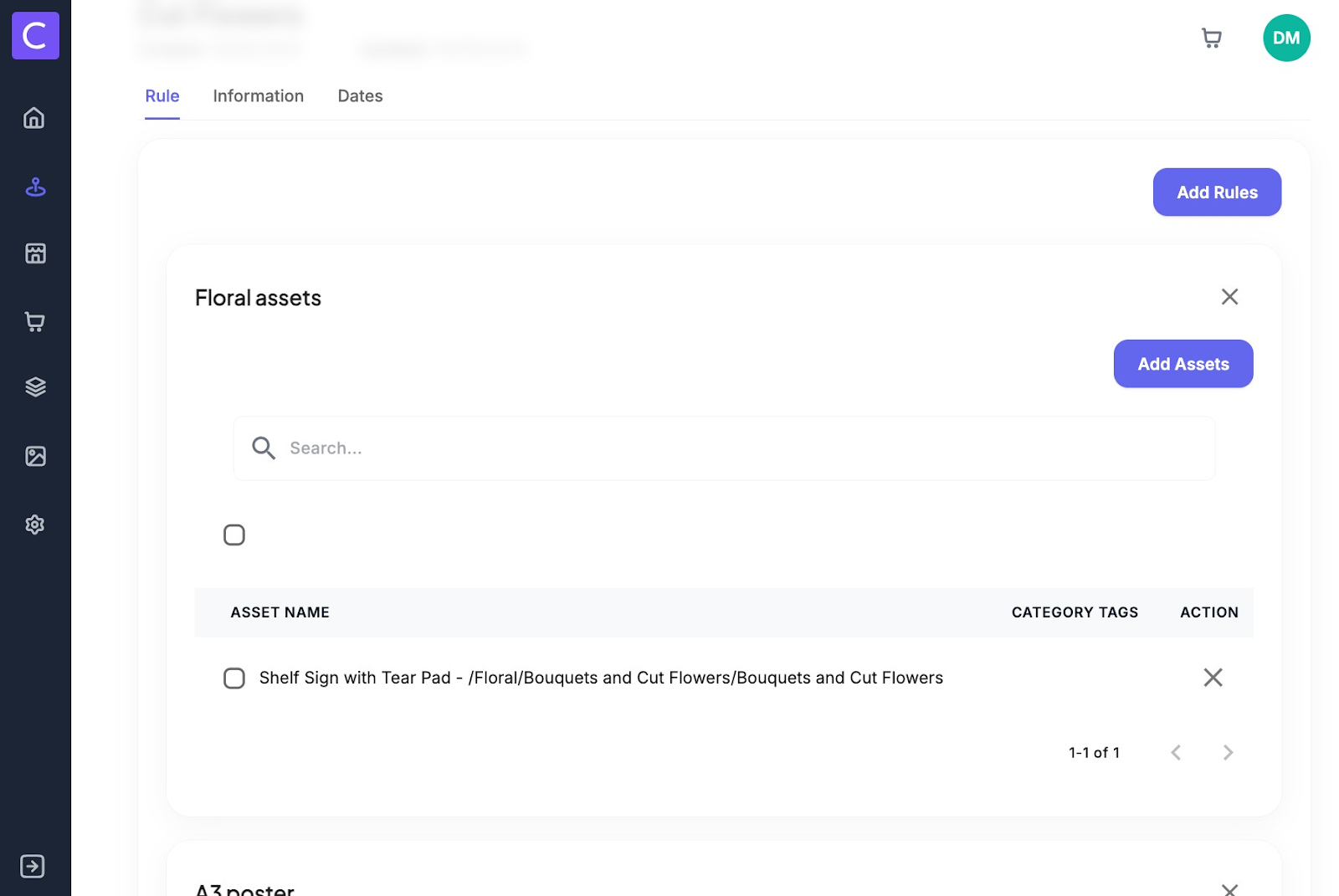
8. Once an asset has been added to a segment it will look like this:
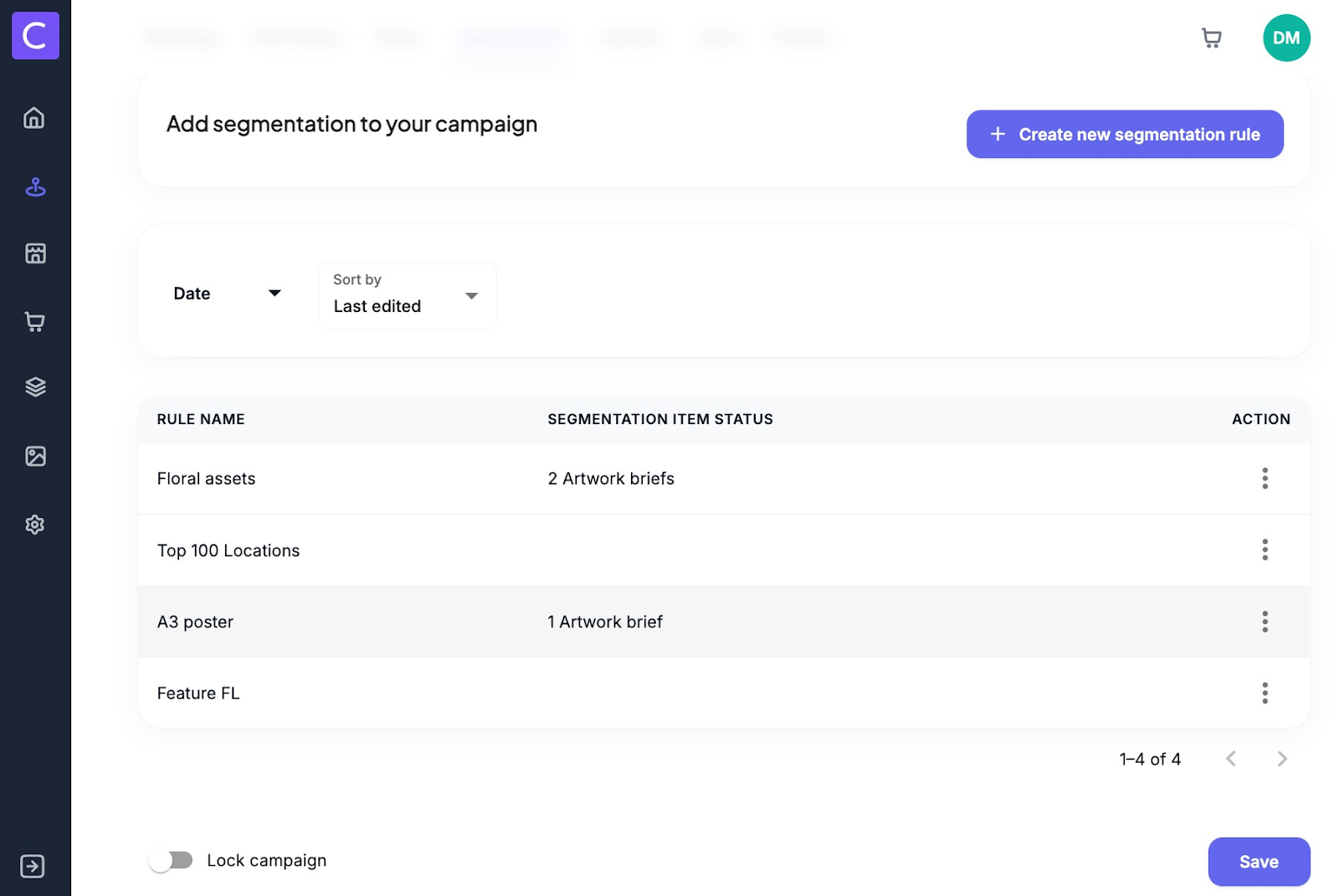
9. users can also tell if a brief is linked to a segment from the segments tab here
Was this article helpful?
That’s Great!
Thank you for your feedback
Sorry! We couldn't be helpful
Thank you for your feedback
Feedback sent
We appreciate your effort and will try to fix the article