Follow these steps to manage the usage of Assets throughout the system by moving them between the Active and Archive tabs.
Admin: Full Access
Super User: Edit Only
Basic User: View Only
Archive an Asset (Move to Archive Tab)
Navigate to Admin > Assets,
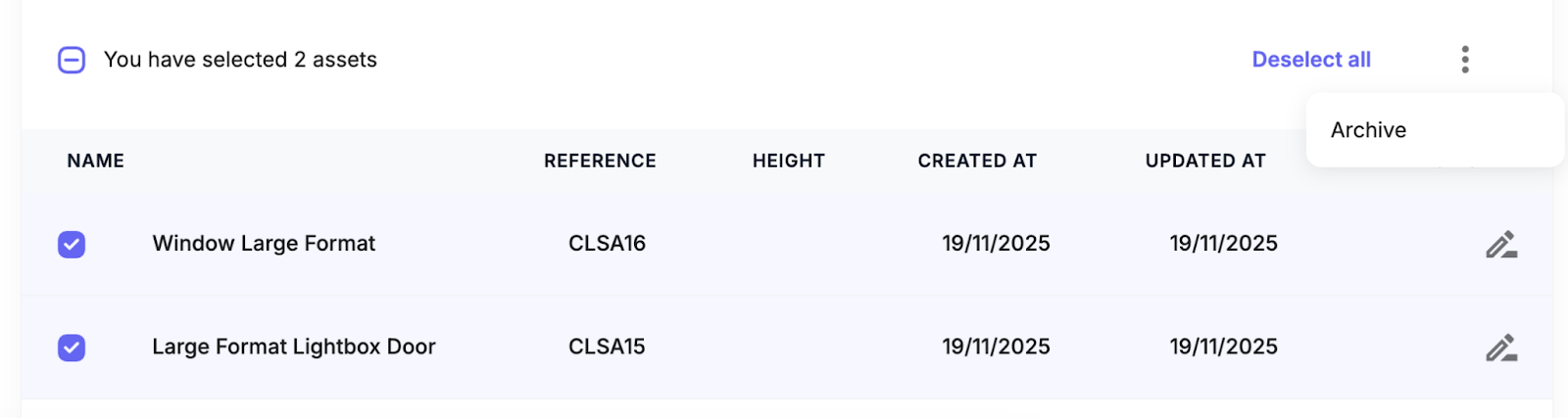
Select the Asset(s) in the Active list by clicking the checkbox next to the Asset names.
Above the table, click the three dots.
Select Archive.
Confirm the action in the pop-up window.
The Asset is moved from the Active tab to the Archived Assets tab.
Restore an Asset (Move back to Active Tab)
Navigate to the Archive tab.
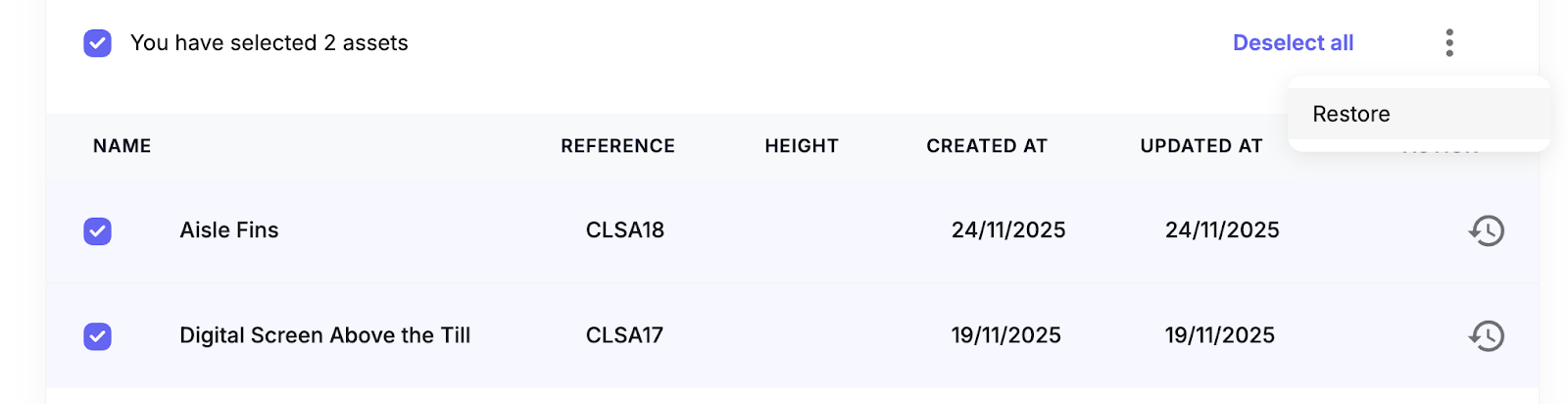
Select the Asset(s) you wish to restore and click the checkbox next to the Asset name.
Above the table, click the three dots
Select Restore.
Confirm the action in the pop-up window.
The Asset is moved from the Archive tab back to the Active tab.
Was this article helpful?
That’s Great!
Thank you for your feedback
Sorry! We couldn't be helpful
Thank you for your feedback
Feedback sent
We appreciate your effort and will try to fix the article