Artwork jobs bundle campaign items together so your studio teams can work on them efficiently.
How to Create an Artwork Job
Navigate to your campaign
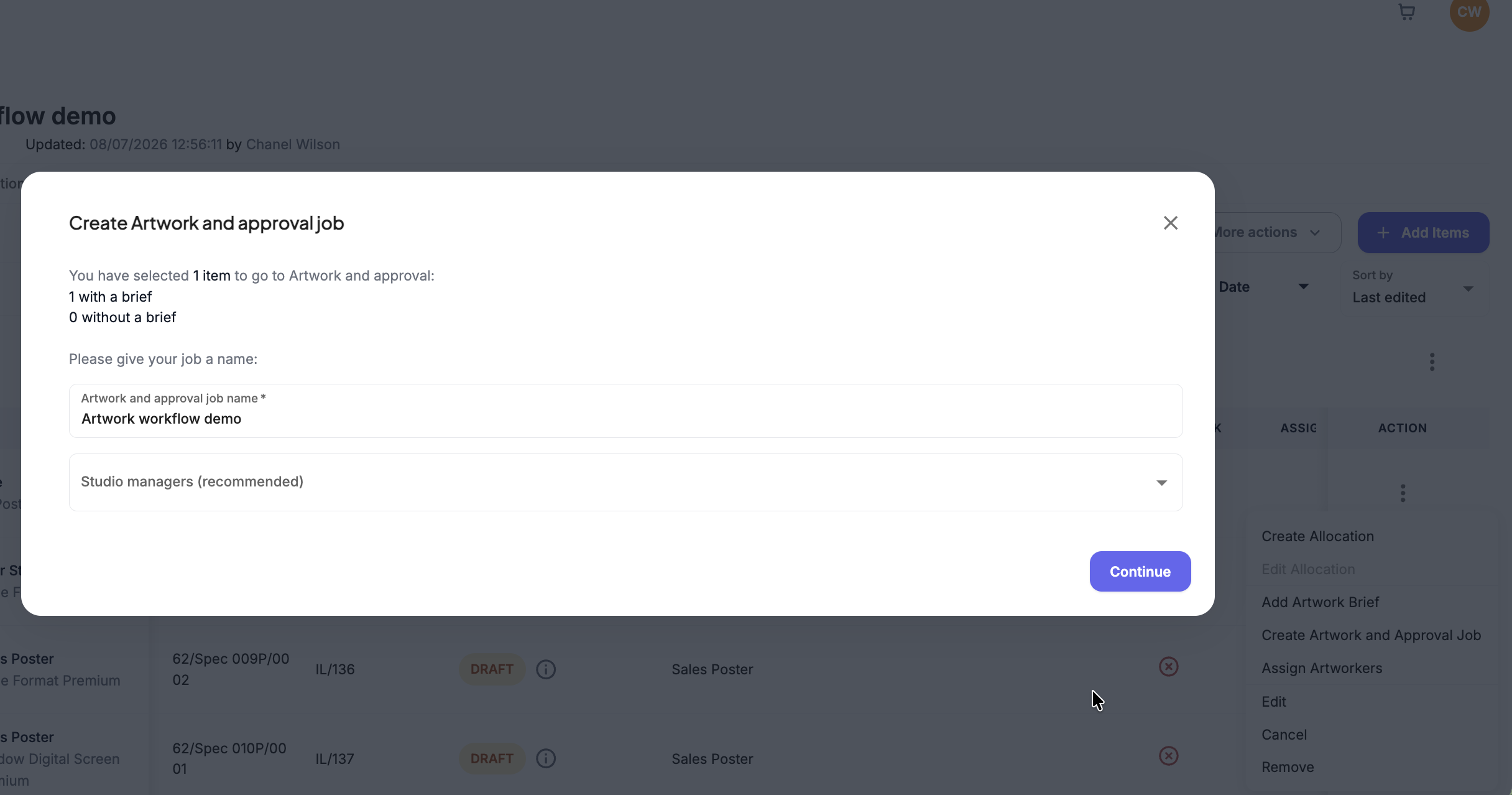
You can create through Items or inside Artworking
Items - Select the check boxes next to the items you want to include, open the actions menu, and click Create Artwork and approval job.
Artworking - click the Create Artwork Job button.
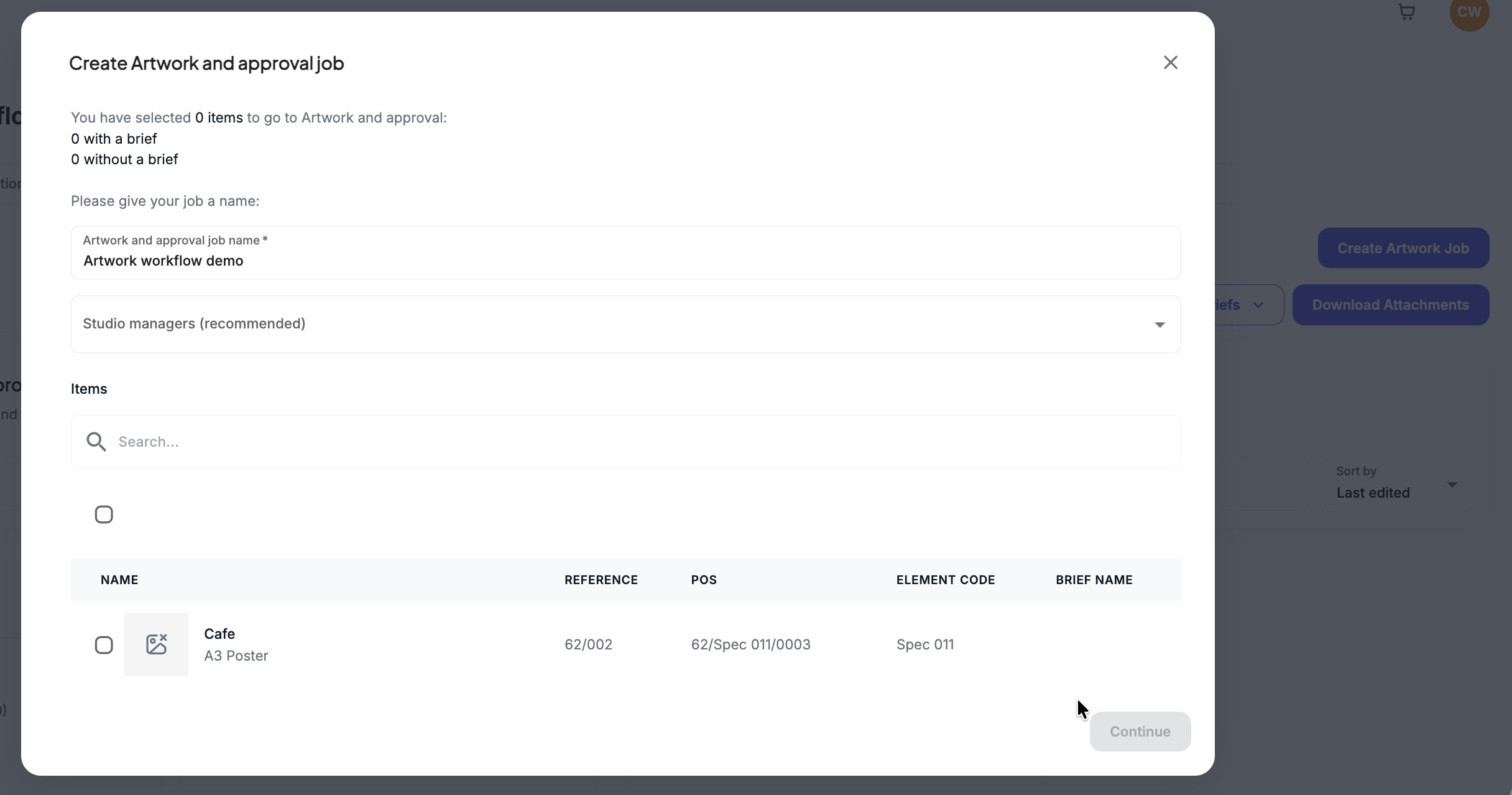
For Artworking Select the campaign items you wish to group into this specific job
Give your artwork job a clear, descriptive name.
Was this article helpful?
That’s Great!
Thank you for your feedback
Sorry! We couldn't be helpful
Thank you for your feedback
Feedback sent
We appreciate your effort and will try to fix the article