Assigning Studio Managers & Artworkers
Studio Managers: Assigned directly during the job creation modal via the Studio managers dropdown. (recommended) You can also change or add them later by clicking the Change button next to the manager’s name inside the job view.
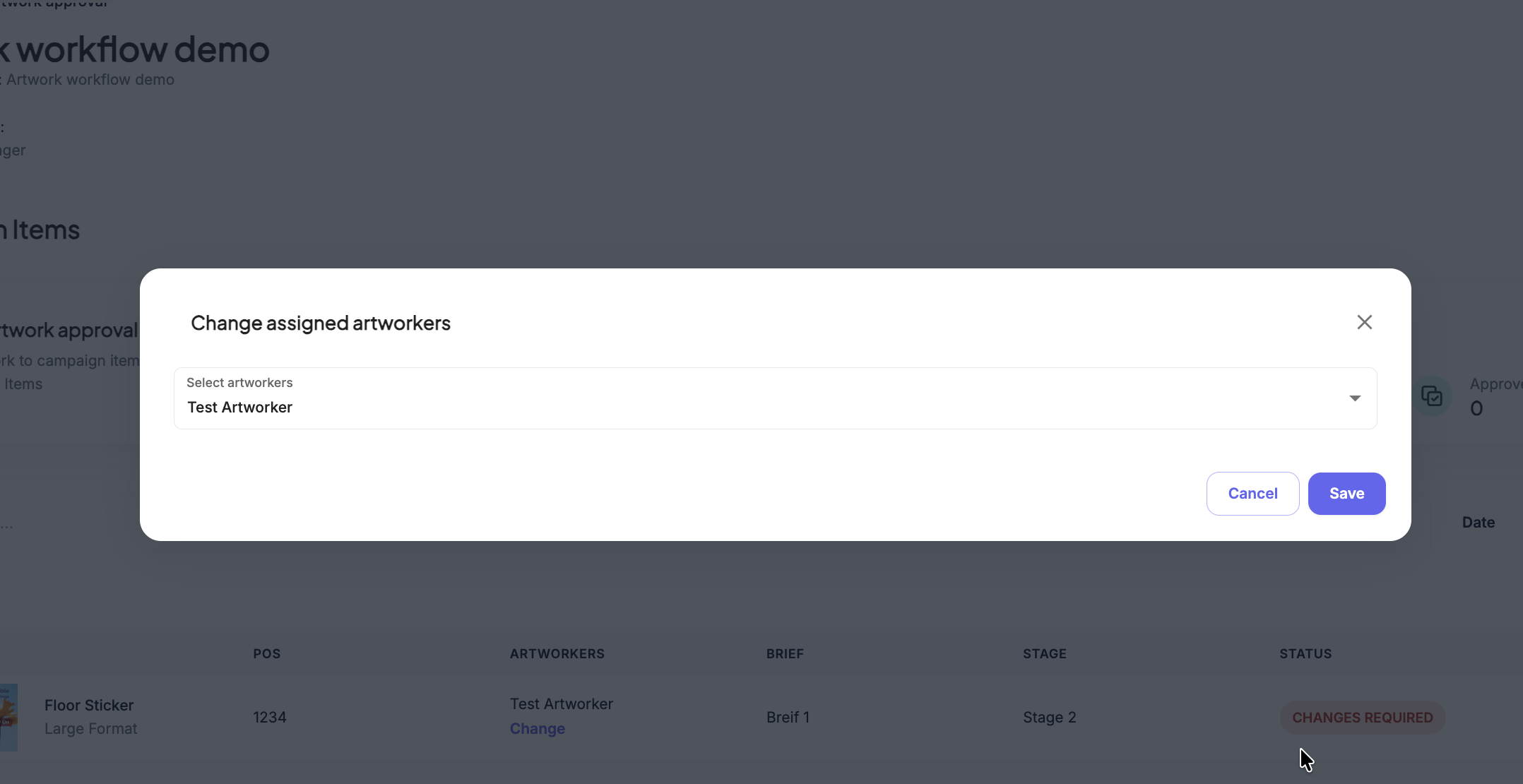
Artworkers: Can be pre-assigned at the Brief level or bulk-assigned in the Items tab. To assign or update them directly inside an active job, look for the Artworkers column on the item line and click the Change link to select the designated designer.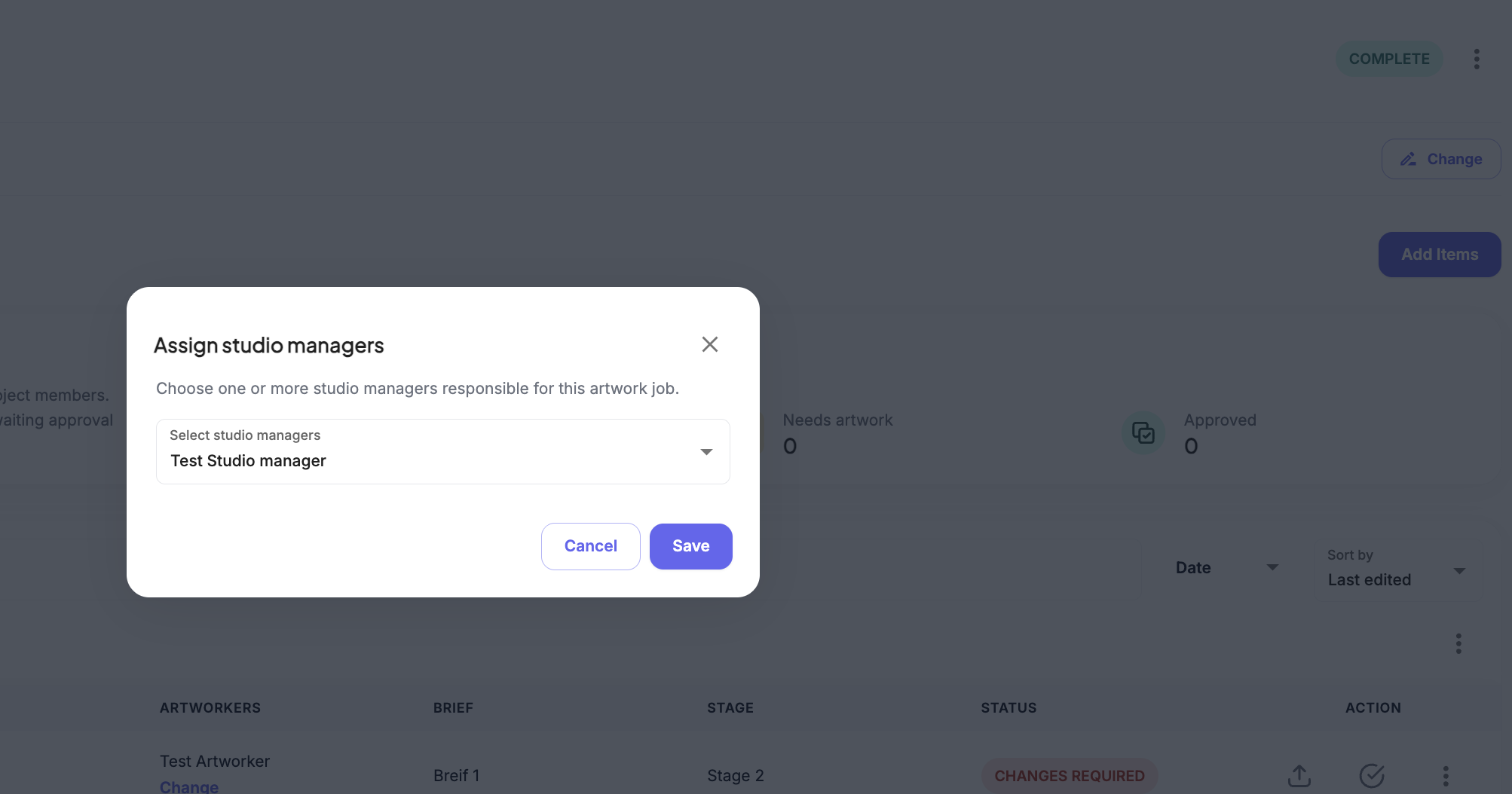
Was this article helpful?
That’s Great!
Thank you for your feedback
Sorry! We couldn't be helpful
Thank you for your feedback
Feedback sent
We appreciate your effort and will try to fix the article